
Gemini Editing4u: 50+ Free Copy-Paste AI Photo Prompts for Viral Edits
Gemini Editing4u is the trending search for anyone who wants to transform selfies into cinematic portraits, fantasy scenes, or viral social media visuals — all using free text prompts. In this guide you’ll get 50+ ready-to-copy prompts organized by style for Google Gemini, plus a step-by-step walkthrough so even beginners get stunning results in seconds.

The secret is simple: Google Gemini’s image editing model (informally called Nano Banana) understands detailed natural-language instructions and applies them to your uploaded photo — no design skills, no expensive software, no APK downloads required. Gemini’s multimodal capabilities make prompt-based AI editing accessible to anyone with a Google account.
What Is Gemini Editing4u? (And Why It Went Viral)
The Term “Gemini Editing4u” Explained
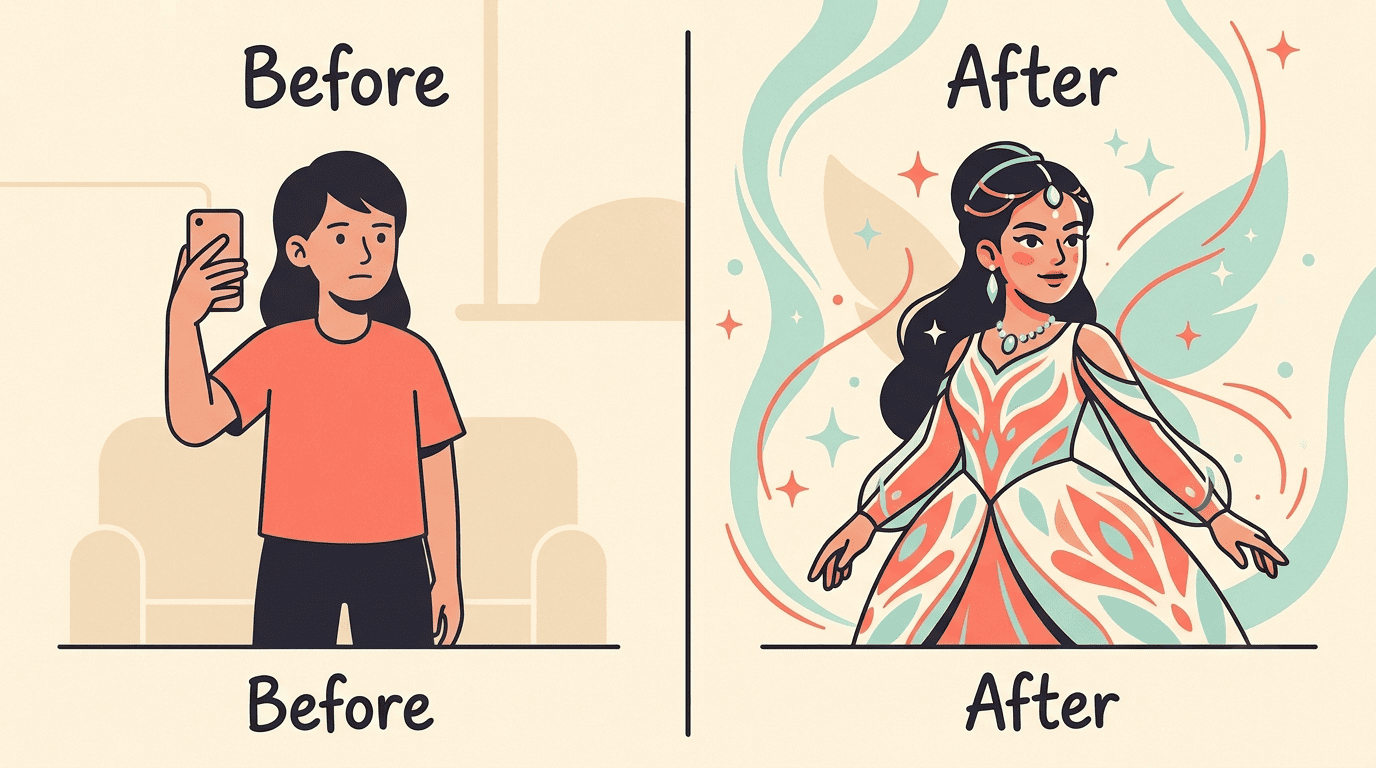
Gemini Editing4u is a popular search phrase used by creators who want Gemini-style AI photo edits — particularly trending effects like Bhut (dark supernatural), Rani Pari (fairy queen fantasy), cinematic portraits, and viral Instagram visuals. It’s not an app or a product name. It’s a creative workflow that combines Google Gemini’s AI with descriptive prompts to transform any selfie into something extraordinary.
The phrase took off in 2025–2026 as creators in South Asia and beyond discovered that Google Gemini could handle complex visual transformations that previously required hours in Photoshop. Social media feeds filled up with dramatic before-and-after edits, all created with copy-paste prompts and zero design experience.
Nano Banana: Gemini’s Built-In Image Editor
Nano Banana is the nickname for Google Gemini’s native image generation and editing model. It went viral for its ability to edit an uploaded photo from plain text instructions — changing backgrounds, outfits, and artistic styles while keeping your face recognizable. The model is available inside the Gemini app and Google AI Studio.
Google AI Pro (formerly Gemini Advanced, $19.99/month) offers enhanced image understanding and higher usage limits, but the free version handles most Gemini Editing4u use cases without issue. You don’t need to download any third-party app — the official Gemini interface is all you need.
“Gemini is natively multimodal, trained on text, images, audio, video, and code — designed to understand the world the way people do.”
Google DeepMind, Gemini Model Overview
How to Use Gemini for Photo Editing — Step by Step
Getting started with Google Gemini photo editing takes under two minutes. The workflow is consistent whether you’re on mobile or desktop, and the same steps apply to every prompt in this guide.
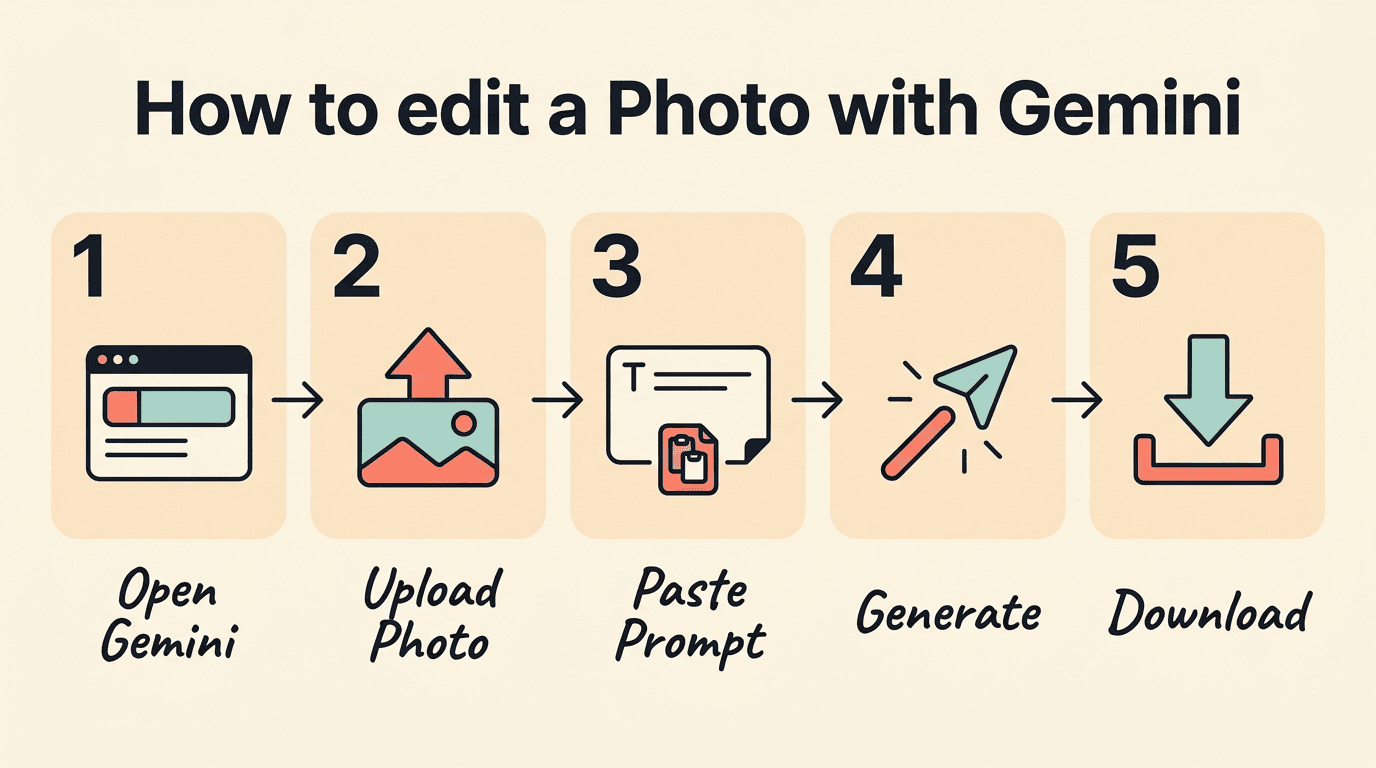
- Open Gemini. Go to gemini.google.com in your browser or open the Gemini app (Android / iOS). Sign in with your Google Account — no special subscription needed to start.
- Upload your photo. Click the image upload button (the + or paperclip icon) in the chat interface. Upload the photo you want to edit. A clear, well-lit, front-facing portrait gives the best results; blurry or heavily shadowed photos reduce accuracy.
- Paste your editing prompt. Copy one of the ready-made prompts from this guide and paste it into Gemini’s chat. Be as specific as possible — subject, pose, background, lighting style, color mood, and clothing all improve output quality significantly.
- Generate the image. Hit send. Gemini returns an edited image you can preview instantly. The process usually takes 5–15 seconds.
- Refine with follow-up messages. If the result isn’t perfect, add follow-up instructions: “make the lighting warmer,” “keep my exact face — don’t change my features,” or “darken the background.” Gemini maintains context across the conversation.
- Download. Click the download icon on the generated image. The file saves directly to your device — no additional account or payment required on the free tier.
- Post and iterate. Share to Instagram, LinkedIn, or wherever you need the image. Try variations of the same prompt with small wording changes to get different takes on the same style.
50+ Free Gemini Editing4u Prompts (Copy & Paste)
These prompts are organized by category so you can find the right effect quickly. All are ready to paste directly into Gemini without modification — though you can customize details like outfit colors, background locations, or mood words to match your vision.
Portrait & Headshot Prompts
The headshot category covers professional and lifestyle portraits — from LinkedIn photos to cinematic outdoor shoots. Face preservation language is built into every prompt.
Professional LinkedIn Headshot
Dress me in a tailored charcoal blazer over a crisp white shirt. Keep my exact face, identity, and natural features unchanged. Place me against a softly blurred modern office background with warm neutral tones. Use flattering soft studio key light from the front-left. Sharp focus on the eyes, shallow depth of field, 85mm portrait lens at f/2. Natural skin texture, no over-smoothing.Pro tip: Add “slight three-quarter angle” for a more dynamic look. Keep the words “subtle” and “natural texture” in retouch prompts — without them, Gemini may over-smooth skin into an unrealistic finish.
Cinematic DP Photo
Ultra-realistic 16K (9:16) portrait, young South Asian male sitting cross-legged on lush green grass in a vibrant spring garden, surrounded by colorful flowers, soft golden-blue sunlight, cinematic bokeh background. Messy black hair with bandana, gentle smile, wearing a gradient T-shirt. Keep original face 100%.Soft Studio Glamour
Studio beauty portrait. Keep my face and identity exactly. Soft diffused lighting from both sides, clean white or light gray seamless background, flawless but natural skin — keep pores and texture, no plastic retouching. Hair styled neatly. Professional makeup look. Shot on 100mm macro lens at f/2.8.Outdoor Golden Hour
Lifestyle portrait at golden hour in a wheat field. Keep my face, body, and identity 100% unchanged. Warm amber backlight from behind creating a halo effect, lens flare, soft bokeh foreground. Wearing a relaxed linen shirt. Romantic, editorial mood. Shot on 50mm at f/1.8.Fantasy & Viral Effects: Bhut and Rani Pari
The Bhut and Rani Pari editing styles are two of the most searched Gemini Editing4u effects. They originated in South Asian social media communities and spread globally because the contrast between an ordinary selfie and the dramatic fantasy output is so striking.
Rani Pari (Fairy Queen) Edit
Transform the subject into a fantasy Rani Pari — wearing a glowing jewel-toned gown with gold embroidery, standing in a magical palace courtyard with blooming roses, soft ethereal light, sparkling bokeh. Keep the person's face, skin tone, and identity completely unchanged. Cinematic fairytale color grade, royal pose, 8K detail.Rani Pari means “fairy queen” in Hindi and Urdu. This edit type transforms a portrait into a royal or magical scene — glowing gowns, palace backgrounds, ethereal lighting, and fairytale colors. It’s one of the most viral Gemini Editing4u styles, especially popular among South Asian creators.
Bhut (Dark Fantasy) Edit
Create a dramatic dark-fantasy portrait. The subject stands on a misty cobblestone street at midnight, pale moonlight casting deep shadows, ghost-like fog swirling at ground level, haunting atmosphere. Keep face and identity 100% unchanged. Dark supernatural mood, cinematic horror-lite color grade with deep blacks and cool blues, 4K quality.Bhut means “ghost” or spirit in Hindi. Gemini Bhut editing refers to dark-fantasy, supernatural, or horror-inspired photo effects — misty streets, moonlit scenes, dark color grades, and atmospheric fog effects, all applied to your portrait while keeping your identity intact. The effect is dramatic precisely because your real face appears in an entirely unreal scene.
Emotional Protest Scene (Viral 2026 Trend)
Ultra-realistic emotional protest scene on a rainy city street. Young student standing alone in the foreground, teary eyes, emotional expression, holding a white placard reading [YOUR TEXT] in bold black letters. Hundreds of protesters behind, wet asphalt reflections, overcast sky, documentary-style photojournalism. Sony A1, 50mm lens, f/2.0, HDR, ultra-detailed, 8K. Aspect ratio 3:4.Forest Spirit Edit
Transform into a mystical forest spirit. Keep my face and identity completely unchanged. Flowing emerald robes, crown woven from branches and flowers, ancient enchanted forest background with glowing fireflies, shafts of golden light through dense canopy. Ethereal magical mood, editorial fantasy photography, 4K ultra-detail.Royal Mughal Portrait
Transform into a historical Mughal royal portrait. Keep my face and identity exactly unchanged. Ornate silk jama or kurta with gold border, jeweled turban, royal court setting with arched sandstone architecture, warm candlelit atmosphere. Classic portrait composition, rich jewel tones, museum-quality historical rendering.Cinematic & Artistic Style Prompts
Style transfer prompts don’t change your identity — they apply a visual aesthetic to your photo. These are among the most shareable Gemini photo editing outputs because the stylistic difference is visually dramatic.
Teal-and-Orange Hollywood Grade
Color-grade this photo into a cinematic film still. Keep my face and identity unchanged. Apply a teal-and-orange Hollywood color grade with warm skin tones and cool teal shadows. Add soft anamorphic lens flares, shallow depth of field, gentle film grain, widescreen cinematic mood. Shot on cinema glass, looks like a frame from a modern blockbuster.Teal-and-orange is the color grading standard for Hollywood films because it creates natural contrast between warm skin tones and cool backgrounds — making subjects pop visually. This prompt replicates that look on any photo.
Film Noir Black & White
Transform into a dramatic black-and-white film noir portrait. Preserve exact features and identity. Hard single-source side lighting casting deep shadows, venetian-blind shadow patterns in background, rich contrast, visible film grain. Smoky, mysterious 1940s mood. Shot on vintage 50mm lens.Neon Cyberpunk Portrait
Edit into a cyberpunk portrait. Keep face and identity exactly. Vivid neon pink and electric blue lighting on face, futuristic rain-soaked city street at night with glowing signage and bokeh lights behind. Wet reflective surfaces, cinematic moody contrast, sci-fi atmosphere. 35mm lens, shallow depth of field.Oil Painting (Old Masters)
Repaint as a classical oil painting portrait. Keep likeness and identity recognizable. Visible textured brushstrokes, rich Rembrandt-style chiaroscuro lighting, dark muted background, warm earthy tones, dramatic single-light modeling on the face. Canvas texture, museum-quality fine-art rendering.Watercolor Illustration
Transform this photo into a soft watercolor illustration. Keep face and identity recognizable. Loose brushwork with visible paper texture, gentle color bleeds at edges, muted pastel palette, white negative space preserved. Editorial illustration style, delicate and artistic.Background & Outfit Swap Prompts
Background swaps and outfit replacements are the most commonly requested Gemini Editing4u edits. The key technical rule: always include relighting instructions when swapping backgrounds, or the result looks fake.
Tropical Beach at Sunset
Replace the background with a tropical beach at sunset — turquoise water, golden sand, palm trees, warm orange sky. Keep pose, outfit, and identity exactly the same. Relight me to match the warm golden-hour light coming from the left, add subtle warm rim light on edges, blend shadows naturally so the composite looks photographed in one shot.Formal Black Suit
Change my outfit into an elegant tailored black suit with a white dress shirt and thin black tie. Keep my face, hairstyle, pose, body proportions, and identity completely unchanged. Fabric should drape and fold realistically, matching the lighting and shadows of the original photo. Slim-fit wool, photorealistic clothing replacement.Mountain Summit Background
Replace background with a dramatic mountain summit scene — snow-capped peaks stretching to the horizon, crisp blue sky with a few wispy clouds, golden-hour sunlight from the right. Keep my exact pose, outfit, face, and identity unchanged. Relight me to match the alpine golden light, match wind-direction with any hair/fabric movement.Traditional Cultural Outfit
Change my outfit to a traditional Pakistani / Indian sherwani — deep royal blue with gold zari embroidery along the collar and cuffs, matching churidar. Keep my face, pose, and identity 100% unchanged. Fabric should reflect light realistically with silk-like sheen. Match the lighting direction of the original photo.| Outfit Style | Works Best With | Key Prompt Phrase |
|---|---|---|
| Blazer / Suit | Professional headshots | “slim-fit wool, drape realistically” |
| Traditional sherwani | Cultural / festive edits | “silk sheen, zari embroidery” |
| Casual streetwear | Lifestyle / social posts | “cotton texture, natural folds” |
| Fantasy gown | Rani Pari / royal edits | “glowing fabric, gold embroidery” |
| Athletic / sporty | Action / fitness shots | “performance fabric, form-fitting” |
Viral Trend Looks
Trend-based prompts replicate specific viral aesthetics. These are the most time-sensitive category — what’s viral in 2026 may shift, but the prompts below capture effects that have shown lasting engagement on Instagram and TikTok.
3D Collectible Figurine (Viral Trend)
Turn this photo into a realistic 3D collectible figurine, displayed standing on a round base inside clear toy packaging on a desk. Keep face and identity recognizable in stylized form. Glossy molded plastic look, detailed sculpted clothing, printed box with name on it. Soft studio product lighting, clean reflective surface. Photorealistic product-shot rendering of the boxed figure.1990s Yearbook Portrait
Transform into an authentic 1990s high-school yearbook portrait. Keep face and identity recognizable. Classic laser-beam or mottled blue studio backdrop, period hairstyle, casual 90s outfit, slightly soft film focus, warm dated color cast, flat on-camera flash lighting. Subtle film grain for scanned-photo feel.Retro Polaroid Snapshot
Transform into a vintage Polaroid instant photo. Keep face and identity unchanged. Frame inside classic white Polaroid border with handwritten caption at bottom: [YOUR TEXT]. Slightly washed-out warm tones, soft focus, light vignetting, faded colors, 1980s instant camera look. Place the Polaroid on a textured surface as if just developed.Magazine Cover
Place me on the cover of a high-fashion magazine. Keep my face and identity exactly unchanged. Bold magazine masthead at top, stylized editorial pose, dramatic studio lighting, overlay of headline text strips (leave placeholder text). Vogue-style layout, glossy finish, ultra-sharp 4K detail.Action Movie Poster
Create a cinematic action movie poster with my face. Keep identity 100% unchanged. Dramatic low-angle shot, intense expression, explosion or dramatic cityscape in background, lens flares, bold title text at bottom: [YOUR TITLE]. Hollywood blockbuster color grade, orange and dark blue palette, gritty texture.Photo Enhancement & Restoration Prompts
Enhancement prompts improve existing photos without changing identities or scenes. These are especially useful for old family photos or low-resolution images.
- Upscaling: always include “do not change my identity, face, pose, or composition” to prevent Gemini from inventing new features
- Restoration: specify “do not invent new features” — for damaged photos with partially missing faces, Gemini will fill in plausibly but may not match reality
- Colorization: works best on photos with strong tonal contrast; flat gray photos may produce less accurate results
Upscale & Enhance to 4K
Enhance to crisp 4K quality. Do not change my identity, face, pose, or composition. Increase resolution and sharpness, recover fine detail in hair, eyes, and fabric, reduce noise and JPEG artifacts, improve dynamic range, balance overall lighting and color. Keep skin texture natural and realistic. Output clean, high-resolution version of the same image.Restore Old Damaged Photo
Restore this old damaged photograph. Repair scratches, tears, creases, stains, and missing areas. Remove dust spots, fix faded or discolored regions. Keep every face and identity exactly as in the original — do not invent new features. Reconstruct lost detail plausibly, balance contrast, return clean restored version in original framing.Colorize Black & White Photo
Colorize this black-and-white photograph with realistic natural color. Keep all faces, features, identities, and details exactly as in the original. Apply believable skin tones, natural hair and eye colors, period-appropriate clothing colors, and realistic environment palette. Subtle, lifelike, historically plausible coloring — avoid oversaturated or artificial tones.| Enhancement Type | Best Input | Key Phrase to Include |
|---|---|---|
| 4K upscale | Any low-res photo | “do not change identity or composition” |
| Damage restoration | Old scanned prints | “do not invent new features” |
| B&W colorization | Strong tonal contrast | “historically plausible coloring” |
| Noise reduction | Low-light / phone shots | “preserve natural skin texture” |
| Sharpening only | Slightly soft focus | “increase edge sharpness only, no other changes” |
How to Write Better Gemini Prompts (Boost Your Results)
Most people type something like “make my photo look good” and get a disappointing result. The quality of your output is almost entirely determined by the quality of your prompt — and writing a good one is easier than it sounds.
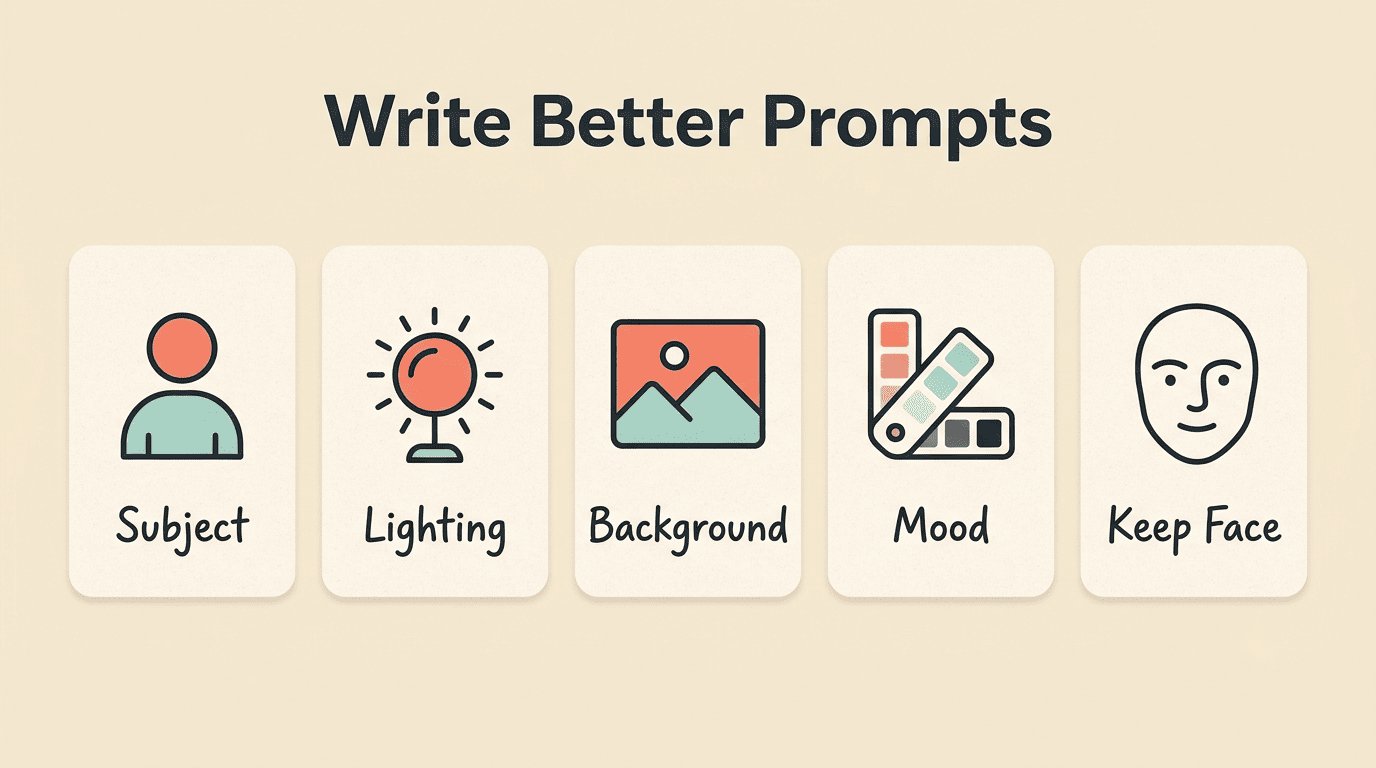
The 6 Elements Every Good Gemini Prompt Needs
A well-written Gemini photo editing prompt includes six elements. Adding “8K,” “photorealistic,” “cinematic,” or “ultra-detailed” at the end sharpens output quality further.
- Subject — who or what is in the photo (person, age, gender, ethnicity)
- Pose — position and angle (standing, seated, three-quarter view, low angle)
- Background — location or environment (beach at sunset, office, enchanted forest)
- Lighting — the light source and quality (golden hour, neon, soft studio, moonlight)
- Color mood — overall palette (teal-and-orange, warm amber, desaturated B&W)
- Clothing — outfit details including fabric, color, and fit
Vague prompts produce vague images. Detailed prompts produce images that match your creative vision. Compare: “edit my photo to look cool” versus “neon cyberpunk portrait, vivid pink and blue lighting, rain-soaked street at night, cinematic contrast, keep my exact face unchanged” — the second prompt gives Gemini everything it needs.
Always Preserve Identity
Every effective Gemini editing4u prompt explicitly instructs the AI to keep the face and features unchanged. Without these instructions, Gemini may idealize or alter your features when applying new styles. Use one of these proven identity-lock phrases:
- “Keep my exact face, identity, and natural features unchanged”
- “100% face preservation”
- “Keep original face 100%”
- “Do not change any facial features”
If results still drift from your actual appearance, add the follow-up: “Keep my exact face and identity from the uploaded photo — do not change any facial features.” This reanchors the model to the reference image you uploaded.
The Relighting Rule for Background Swaps
The most common failure in Google Gemini photo editing background swaps: replacing the background without relighting the subject. The result looks composited and fake — the person appears to be floating in front of the new scene rather than photographed in it. Three rules prevent this:
- Always include “relight me to match the [scene] light” in every background swap prompt
- Specify shadow direction: “match shadows and lighting direction”
- Add a blending phrase: “blend shadows naturally so the composite looks photographed in one shot”
All the swap prompts above already include these instructions.
Gemini Editing4u vs. ChatGPT Image Editing — Quick Comparison
All the prompts in this guide are cross-platform: they work on Google Gemini, ChatGPT image generation (DALL-E), Midjourney, and Adobe Firefly. The structure of a good photo editing prompt follows universal principles that any AI image model understands. That said, each tool has different strengths:
| Feature | Google Gemini | ChatGPT / DALL-E | Midjourney | Adobe Firefly |
|---|---|---|---|---|
| Face preservation | Excellent | Good | Moderate | Good |
| Cinematic style transfer | Excellent | Very good | Excellent | Very good |
| Free tier available | Yes | Limited | Paid only | Limited free |
| Mobile app | Yes (Android / iOS) | Yes | Web / Discord | Yes (Android / iOS) |
| Fantasy / cultural edits | Excellent | Good | Good | Moderate |
| Photo upload & edit | Yes | Yes | Limited | Yes |
| Background swap quality | Very good | Good | Moderate | Very good |
Gemini’s key advantage for Editing4u workflows is the combination of a strong free tier and excellent face preservation — the two things creators care about most. ChatGPT’s DALL-E is a strong alternative for cinematic styles, while Midjourney excels at artistic aesthetics but offers less precise identity control.
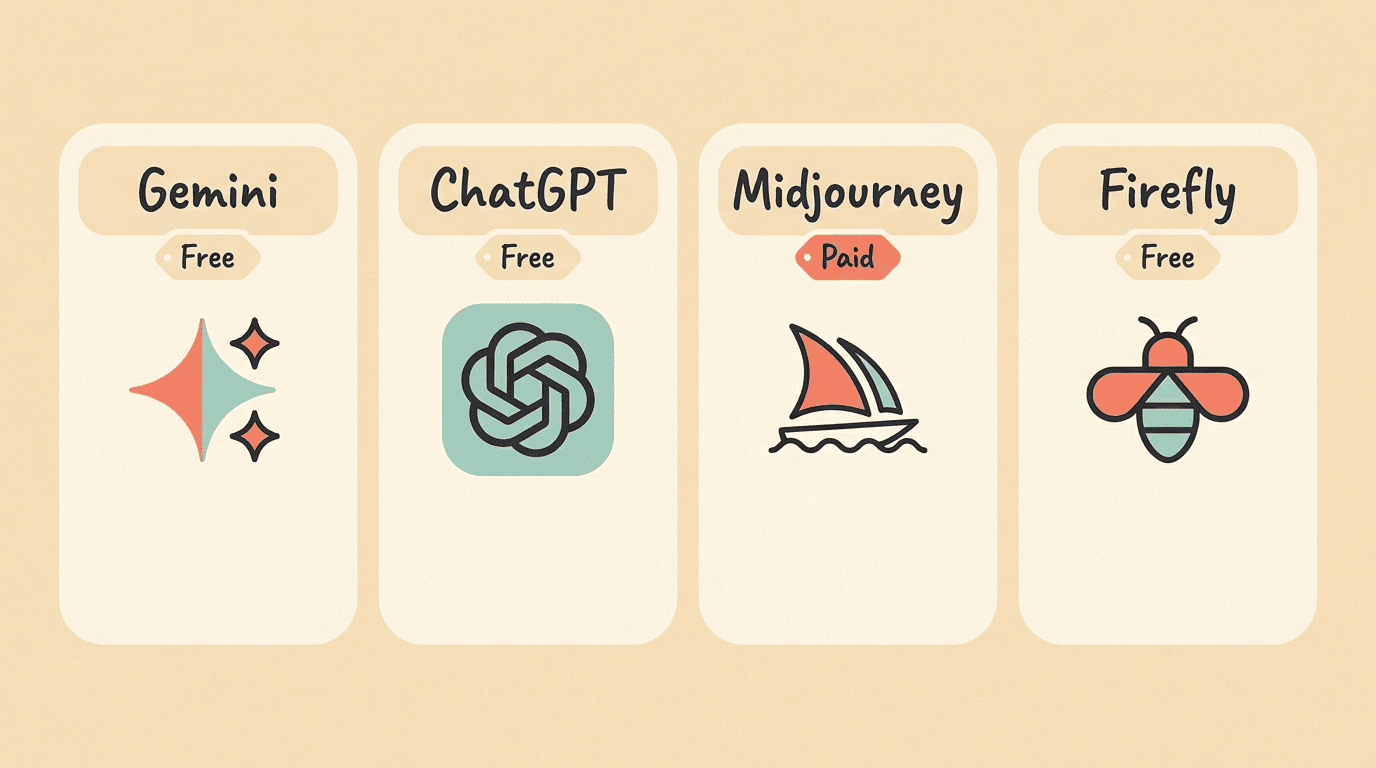
The prompts in this guide work on all four platforms. If you’re not happy with a Gemini result on a specific prompt, paste the exact same text into ChatGPT or Midjourney — you may get a better output with a different model’s interpretation.
You can learn more about AI image generation capabilities in Google’s official Gemini documentation and Google DeepMind’s Gemini research page.