
Grok Bot: What SpaceXAI’s New AI Teammate Is and What It Can Actually Do
Grok Bot is a team of always-on AI agents from SpaceXAI and Cursor that don’t just answer questions — they sign into your real tools and finish the job. Introduced on August 11, 2026, the product entered public beta across Mac, iOS, Windows, and Linux, available exclusively through a paid subscription tier.
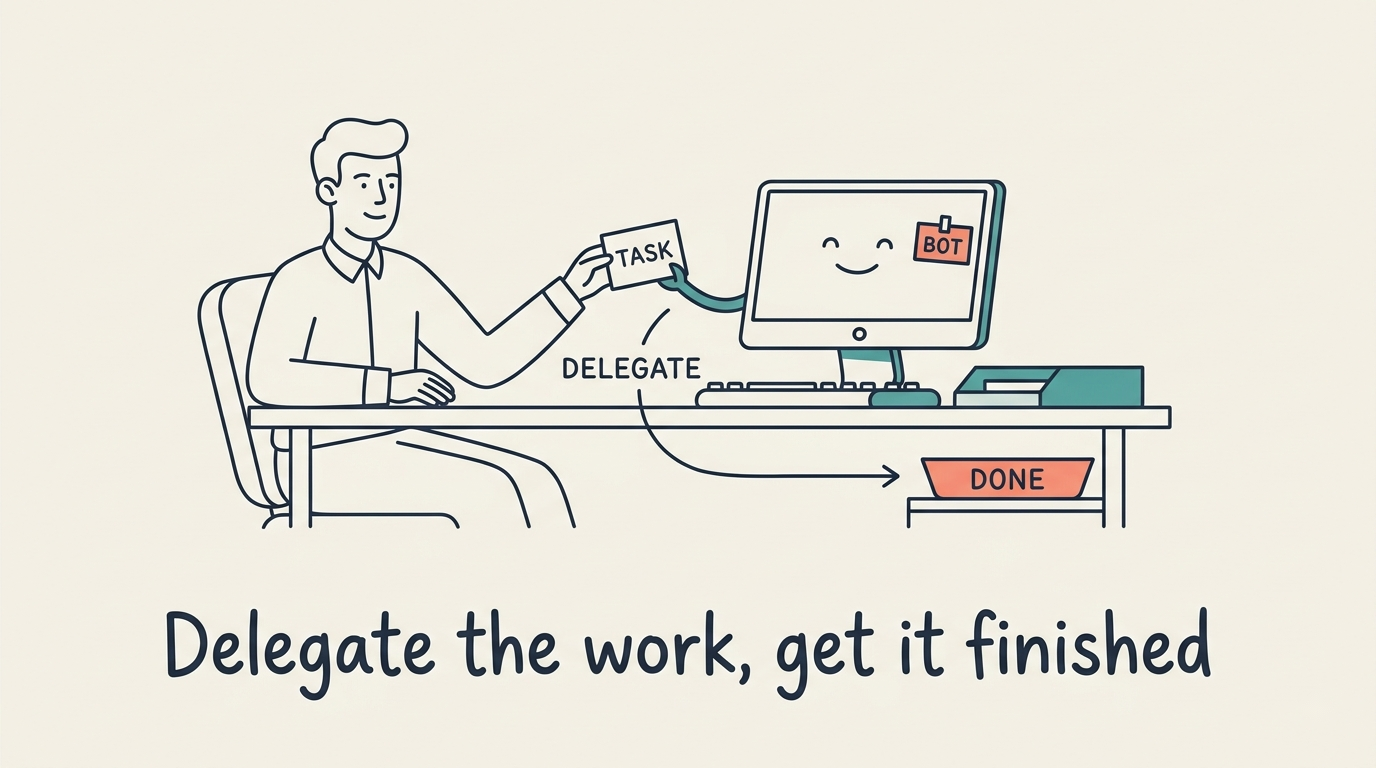
The launch marks a meaningful shift from conversational AI to what SpaceXAI calls “agentic outsourcing”: instead of generating a draft for you to execute, Grok Bots execute the work themselves and surface only the decisions that genuinely require a human.
What Is Grok Bot?
A team of always-on AI agents
Grok Bot is not a single assistant — it is a collection of named AI teammates, each capable of receiving a real task and completing it end-to-end. According to the official product page, the core promise is closing the gap between “90% done” and “100% done”: the Bot handles every step inside your actual applications and returns only when it needs your approval to proceed.
Each Bot runs continuously, which means work doesn’t pause when you close a browser tab or leave for a meeting. You assign a task, the Bot works through it across inbox, browser, and third-party apps, and you receive a notification when something genuinely requires your input.
Who built it — SpaceXAI and Cursor
SpaceXAI — the company behind the Grok family of frontier models — built Grok Bot jointly with Cursor. SpaceX announced in June 2026 that it will acquire Cursor for $60 billion, a deal pending regulatory approval. The product grew from internal use: SpaceXAI teams ran Bots for sales outreach, marketing campaigns, operations, and bug fixes before opening the platform publicly.
SpaceXAI’s model lineup spans five or more model families and a unified API. Grok Bot is designed to sit on top of that infrastructure, giving the model persistent context, tool access, and a dedicated machine to act on your behalf.
Grok Bot vs a Regular Chatbot
From answering queries to finishing work
A standard chatbot lives in a chat window. You type a prompt, it generates a response — and then the work of actually doing something with that response falls back to you. Grok Bot inverts this arrangement. The AI colleague signs into your tools, navigates real interfaces, and leaves a finished artifact — an updated CRM record, a sent follow-up email, a filed bug ticket — not a draft you still have to act on.
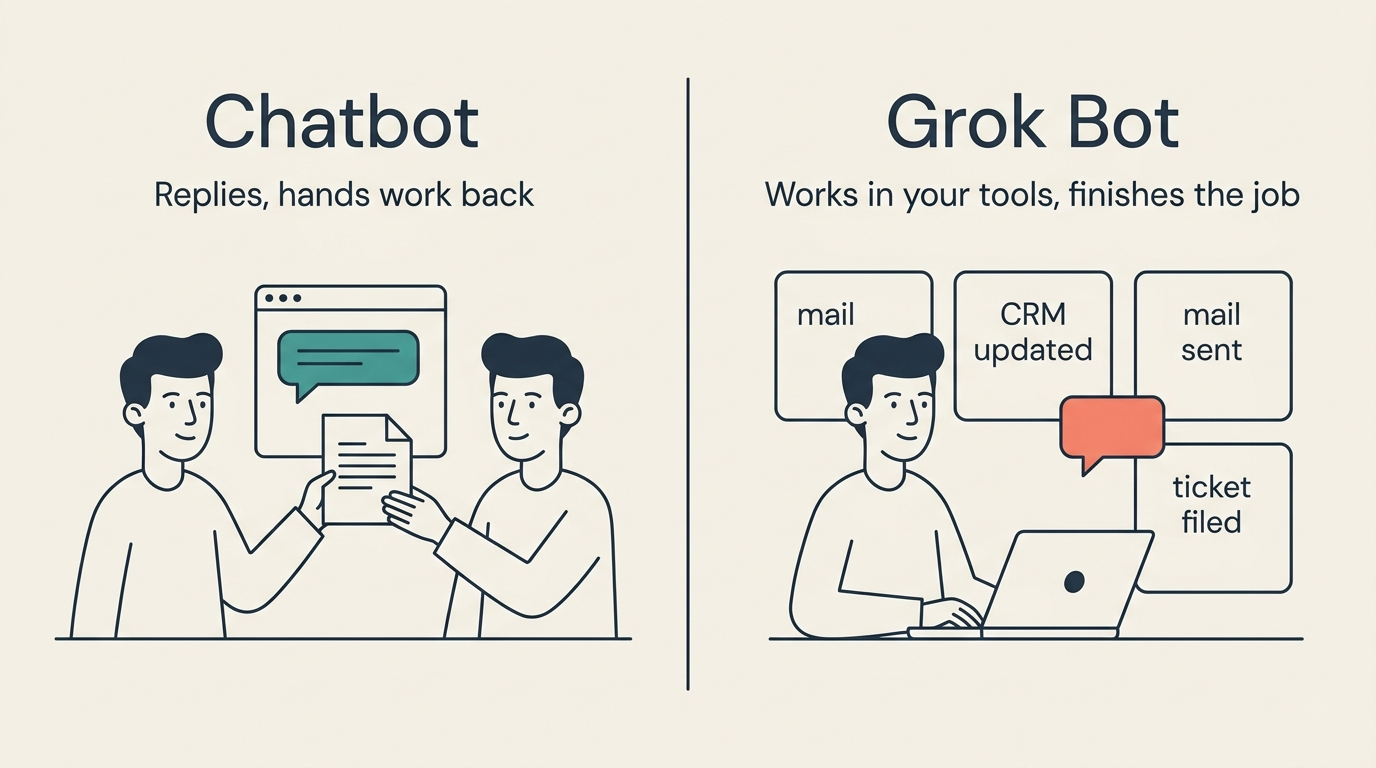
The structural difference is who closes the loop. With a chatbot, you do. With a Grok Bot, the Bot does, and you only re-enter when the task hits a decision point that requires human judgment.
Human-in-the-loop by design
Grok Bot operates on a “delegate and verify” model rather than “prompt every step.” The Bot resolves multi-step tasks autonomously but pings you at deliberate checkpoints — when a decision has meaningful consequences or when an action can’t be undone. This lets you offload the routine sequence of steps while staying in control of anything that matters.
“We want to give people an AI teammate they can actually trust to get things done — not just one that hands the work back with a summary.”
SpaceXAI, Introducing Grok Bot (August 2026)
The Bot’s Own Computer
Every Grok Bot agent operates on a dedicated, persistent cloud virtual machine — a real computer in the cloud with its own browser, filesystem, and terminal. The Grok Bot documentation describes this as the foundation that makes true task completion possible: the Bot has a surface to work on, files to reference, and sessions to maintain, rather than regenerating context from scratch each time.
A persistent cloud VM with browser, files and terminal
The cloud computer runs continuously regardless of whether you’re active. Each component of the environment persists across sessions:
- Files the Bot creates or downloads remain available in the next session.
- Browser sessions stay logged in across tasks and days.
- Terminal processes can run in the background without interruption.
- Saved credentials and app configurations carry over between Bots on the same account.
This means a Bot tasked with monitoring a spreadsheet and sending a weekly digest doesn’t need to be re-briefed each Monday — it simply runs.
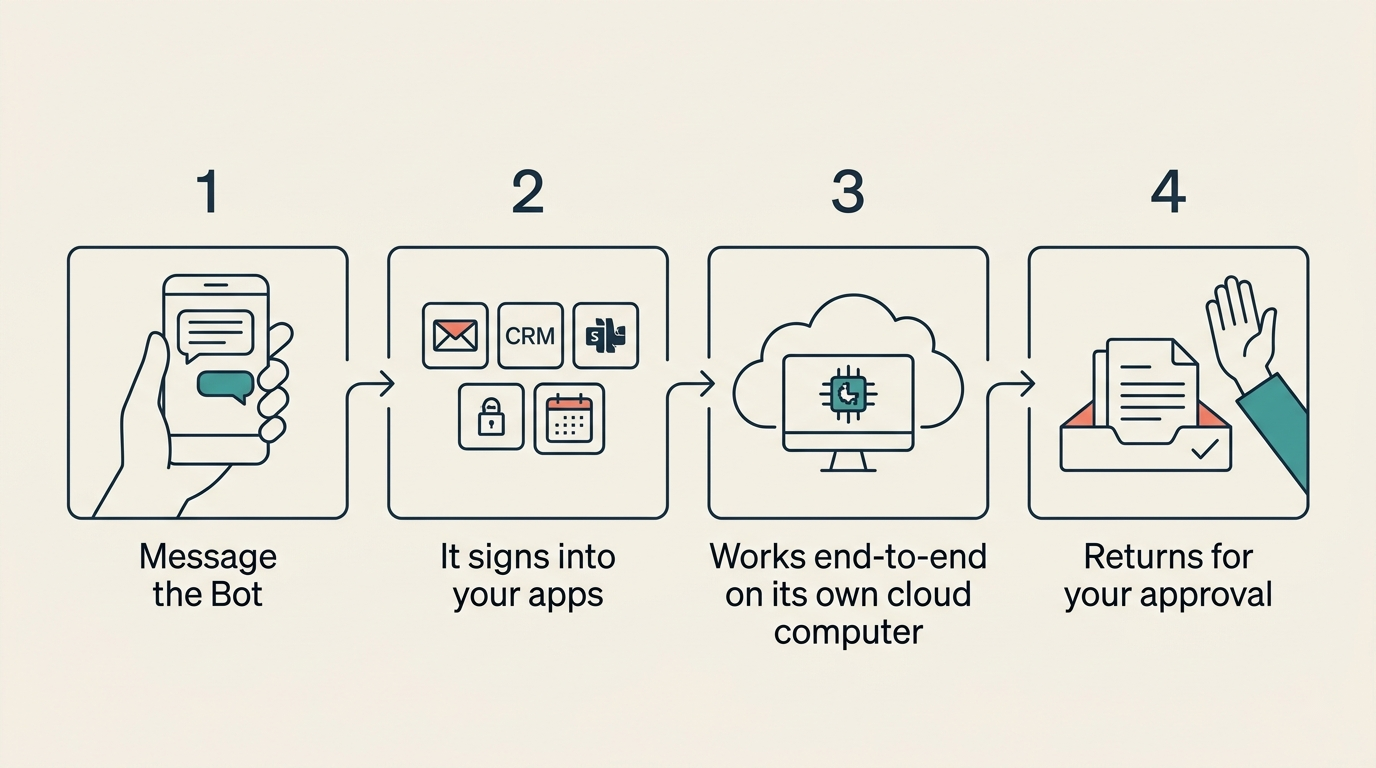
The computer is scoped to your account rather than to any individual Bot. That means all your Bots share one authenticated machine: login credentials, saved files, and browser sessions are available to any Bot you create, while each Bot gets its own screen for parallel operation.
Signs into your tools — even without an API
Grok Bot uses two methods to access your applications. Where a clean API or MCP connector exists, it uses that. Where it doesn’t — legacy CRMs, internal dashboards, web-based tools with no public API — it falls back to computer use: operating the interface the same way a human would, by navigating menus, clicking buttons, and filling forms.
This combination means the set of tools a Grok Bot can operate is not limited to services with developer-friendly integrations. If you can log into it through a browser, a Bot can too.
What Grok Bot Can Do: Key Features
Learns your workflows by watching (routines)
Ask a Bot to “follow along” as you walk through a task once. It records the sequence of steps, decision points, and the tools involved, then saves this as a routine. From that point on, the routine can run on a schedule or on demand — no re-explanation needed.
This means a workflow you currently perform manually every Monday morning (pull a report, update a spreadsheet, send a summary email) becomes a Bot task after a single demonstration. The routine captures not just what to do but when to pause for approval.
Persistent memory that compounds
A named Bot retains memory across tasks: conversation history, files it has created, open browser sessions, and your stated preferences. Over time it internalizes your communication style, learns the edge cases specific to your work, and develops judgment about when to interrupt you versus when to proceed autonomously.
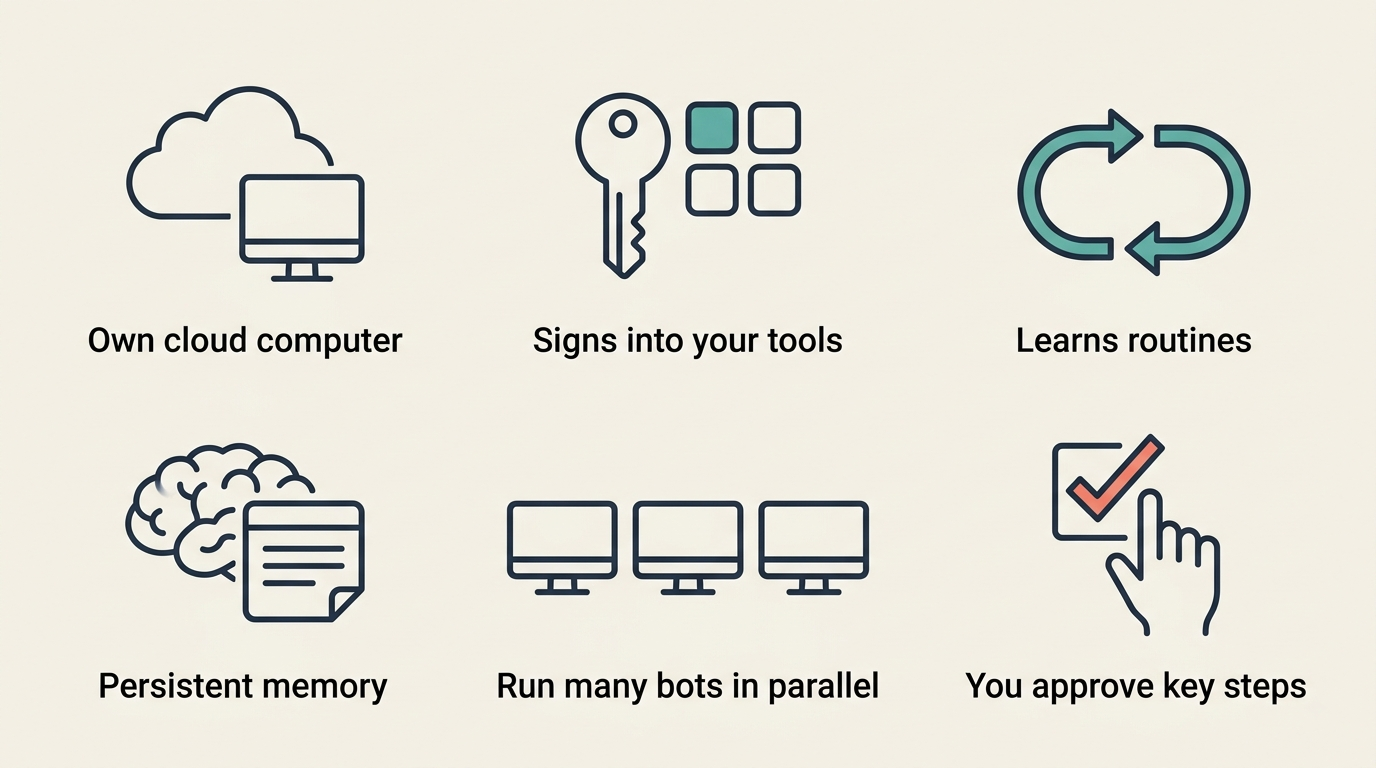
This is a meaningful difference from session-based AI tools, where each conversation starts from zero. A Grok Bot that has handled fifty sales follow-ups for you has context that compounds rather than resets.
Run many Bots in parallel
You can deploy multiple Bots simultaneously and organize them like a small team. One Bot can act as a chief of staff — routing tasks and coordinating the others — while specialist Bots handle specific domains: one for the inbox, one for expense reconciliation, one for bug triage, one for recruiting follow-ups.
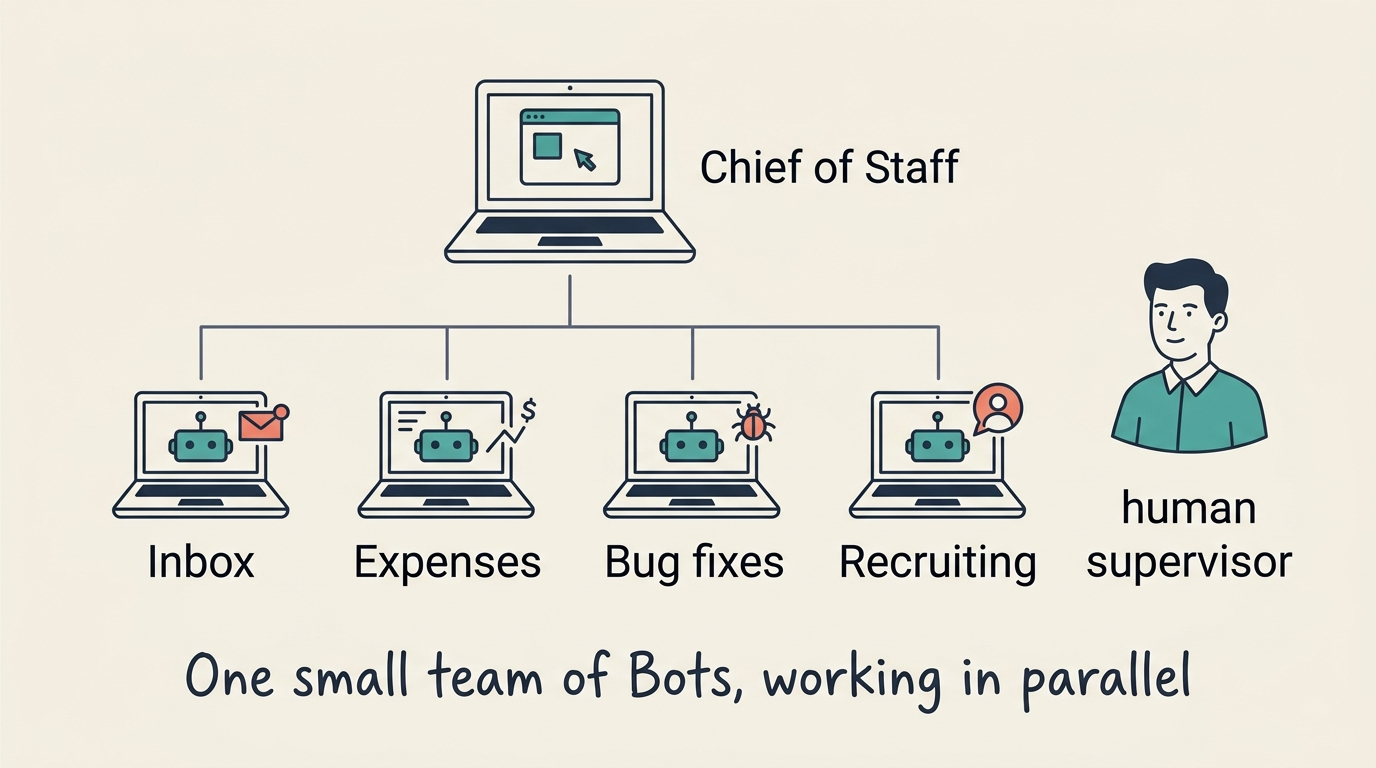
Bots share context through threads and group chats, can hand off ownership of a task mid-execution, and work in parallel on the same underlying cloud computer. The practical result is that you can assign a batch of independent workstreams and receive notifications as each completes, rather than working through them sequentially yourself.
Pricing and How to Get Access
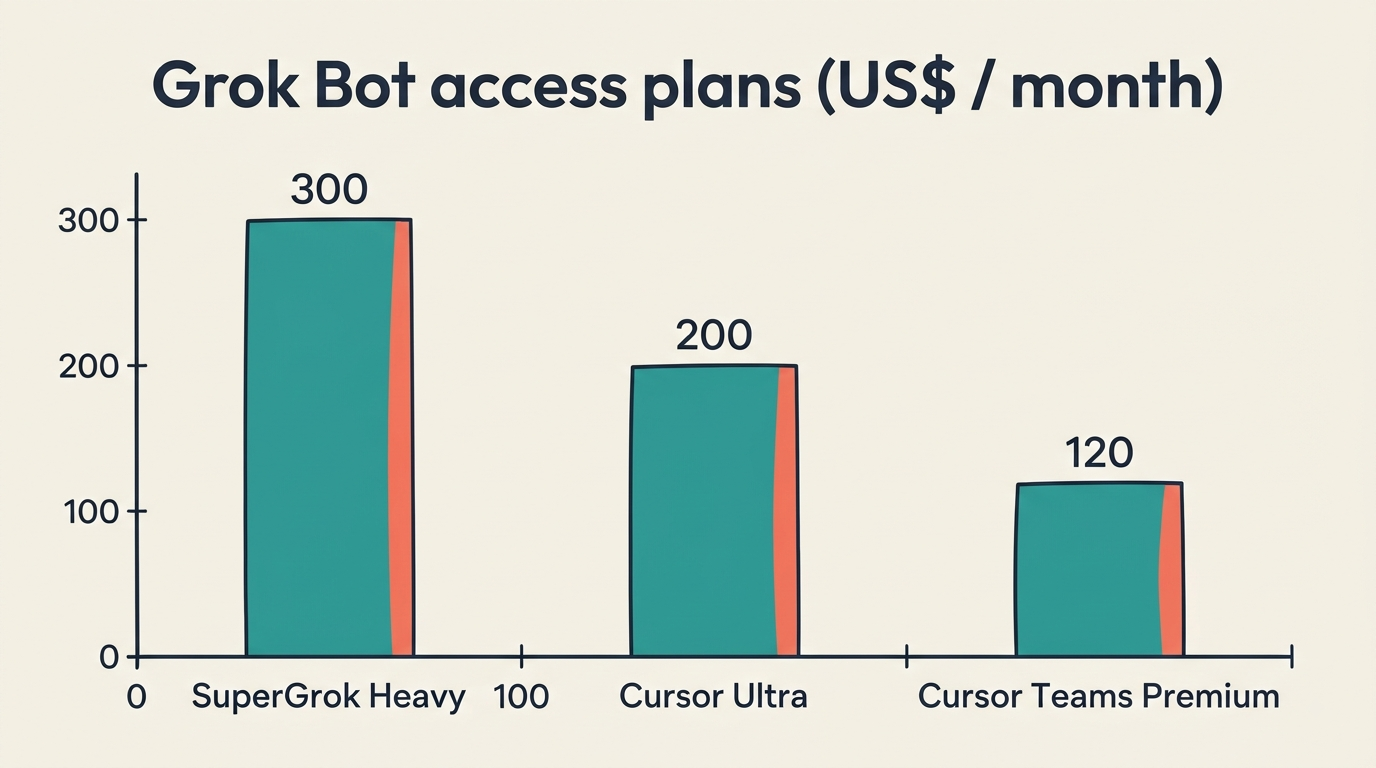
Grok Bot is available through three subscription tiers. There is no free tier or standalone Grok Bot plan — access is bundled into existing SpaceXAI and Cursor subscriptions. If you are already on Cursor Ultra or SuperGrok Heavy, Grok Bot is included at no extra charge.
Subscription tiers
| Plan | Price | Who it’s for |
|---|---|---|
| SuperGrok Heavy | $300 / month | Individual power users on SpaceXAI’s platform |
| Cursor Ultra | $200 / month | Individual developers on Cursor |
| Cursor Teams Premium | $120 / seat / month | Teams; includes centralized billing, SSO, and shared skill marketplace |
Cursor Teams Premium includes team-level features: administrators can manage Bots across the organization, SSO integrates with existing identity providers, and a shared marketplace lets teams publish and reuse routines built by colleagues.
Platforms and rollout
Beta access launched simultaneously on Mac, iOS, Windows, and Linux, with the iOS build published on the App Store. An Android version is listed as “coming soon.” Enterprise access — which includes additional compliance and administrative controls — is available via waitlist through the Grok Bot page.
Here is how to get started once you have an eligible subscription:
- Download the Grok Bot app for your platform (Mac, iOS, Windows, or Linux).
- Sign in with your SpaceXAI or Cursor account.
- Open the Bots tab and create your first named Bot.
- Connect the tools you want it to access (email, CRM, calendar) via connectors or the built-in browser.
- Assign a task in plain language — or walk the Bot through a workflow to create a routine.
- Review the checkpoint notifications the Bot sends as it works.
- Approve or redirect at decision points; otherwise let it complete the task.
Real-World Use Cases
Sales, operations and engineering
The use cases SpaceXAI highlighted at launch came directly from internal teams that used early versions of the product.
- A sales Bot pulls a target account list from Salesforce, researches each company, drafts personalized outreach emails and LinkedIn messages in the user’s voice, and logs sent activity back to the CRM — without manual data entry at any step.
- An operations Bot runs onboarding sequences for new employees: provisioning accounts, sending welcome materials, scheduling orientation, and tracking completion — then processes invoices that arrive in Gmail by extracting line items and routing them for approval.
- An engineering Bot reproduces a reported UI bug, files a structured ticket with reproduction steps and a screen recording, and hands off to a debugging Bot to begin the fix.
Each scenario represents work that previously required a human to manage a multi-step process across several applications. The Bot handles the sequence and surfaces only the decisions that require authorization.
Support and vendor negotiation
Early adopters have also used Grok Bots for customer support triage — categorizing inbound requests, drafting responses in brand voice, and escalating only the cases that require a human agent — and for vendor negotiations: the Bot monitors contract renewal dates, drafts negotiation emails based on historical pricing data, and flags responses that deviate from expected terms.
The common thread across these scenarios is that the work involves repeatable multi-step sequences across real applications, with occasional decision points where human sign-off matters. That is the profile of work Grok Bot is designed to own.
How Grok Bot Compares to ChatGPT Agent and Claude Cowork
The agentic outsourcing race
Grok Bot enters a market that is rapidly filling with capable competitors. The main alternatives targeting the same “agentic outsourcing” use case include:
- ChatGPT Agent — OpenAI’s task-execution layer, included in ChatGPT Plus
- Claude Cowork — Anthropic’s collaborative agent product, included in Claude Pro
- Perplexity Computer — Perplexity’s answer-and-act offering
All three target similar use cases: delegating multi-step work to an AI that operates real tools rather than just generating text.
The table below summarizes how Grok Bot differentiates itself on the dimensions that matter most for autonomous work:
| Feature | Grok Bot | ChatGPT Agent | Claude Cowork |
|---|---|---|---|
| Persistent cloud computer | Yes — shared VM per account | Session-based | Session-based |
| Named Bots with long-term memory | Yes — per-Bot memory | No | No |
| Multi-Bot coordination | Yes — threads + group chats | No | Limited |
| Computer use (no-API access) | Yes | Yes | Yes |
| Routine learning by demonstration | Yes | No | No |
| Starting price | $120/seat/mo (Teams) | Included in ChatGPT Plus | Included in Claude Pro |
The clearest differentiator is the persistent, account-scoped computer. Competitors re-initialize state each session; a Grok Bot’s browser sessions, files, and memory persist indefinitely. This matters most for workflows that span days — ongoing negotiations, multi-day research projects, recurring operational tasks — where re-establishing context from scratch is itself costly.
The coordination layer — multiple named Bots sharing a computer and routing work through group chats — is also distinctive. Most competitor products are designed around a single agent per task, while Grok Bot explicitly supports a small team of specialist Bots working in parallel under a coordinating manager Bot.