
Qwen Image 3.0: Rich Content, Authentic Details, and Deep Knowledge
Qwen Image 3.0 is Alibaba’s third-generation AI image generation model, released on July 21, 2026, under the model ID qwen-image-3.0-pro. It accepts prompts up to 4,500 tokens, renders text accurately down to 10 pixels, and natively supports 12 languages — setting it apart from previous versions and most competing tools. The Qwen Team built this model around a single principle: making AI-generated images genuinely deployable as productivity assets, not just visually impressive outputs.
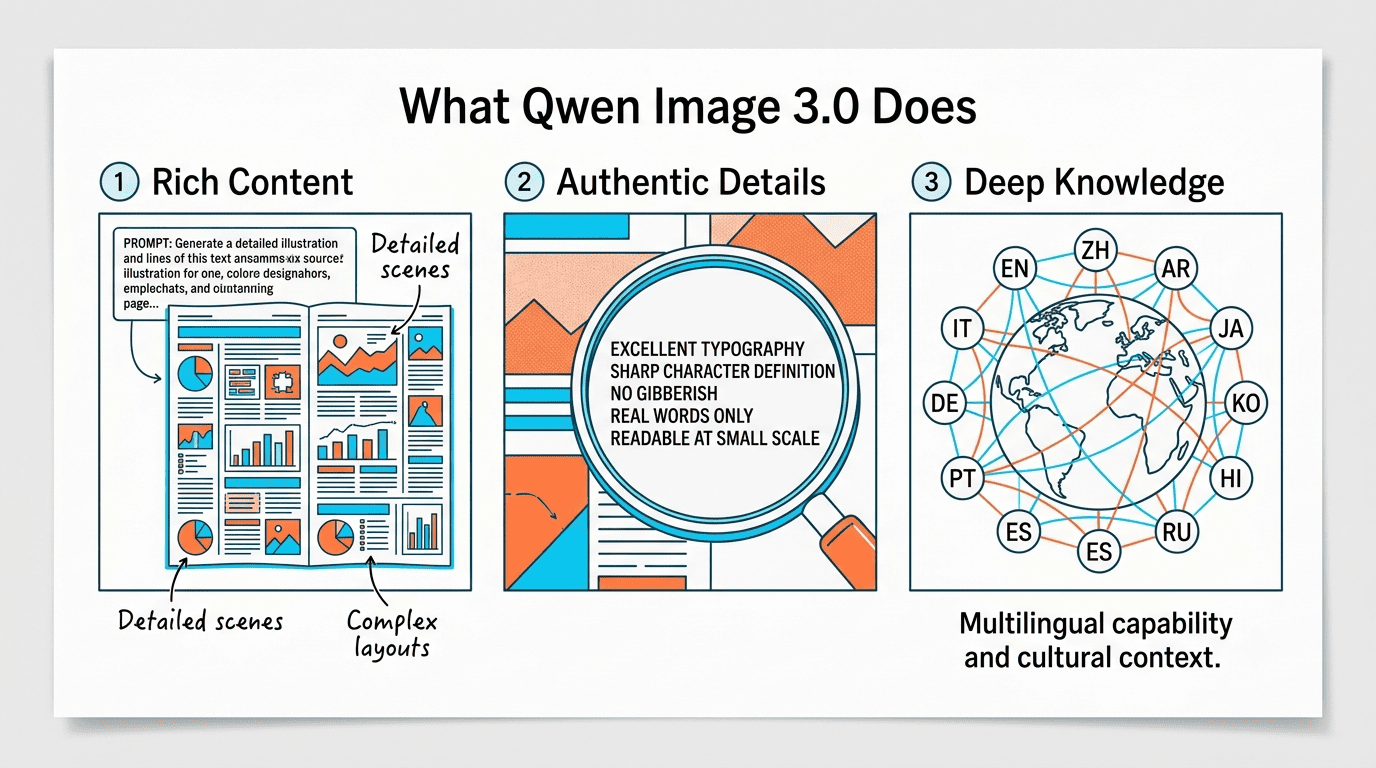
Where Qwen-Image-1.0 focused on precision and Qwen-Image-2.0 expanded to completeness and variety, Qwen Image 3.0 is defined by one word: Real (实). That means infographics with readable fine print, multilingual product labels that render correctly in every script, and UI mockups accurate enough to use in client presentations — all generated in a single pass without post-editing.
What Is Qwen Image 3.0?
Qwen Image 3.0 is a closed, API-only image generation foundation model developed by Alibaba’s Qwen Team. It is accessible as qwen-image-3.0-pro through the QwenCloud and DashScope APIs, and through the no-code interface at chat.qwen.ai. Unlike its predecessor Qwen-Image-1.0, which shipped with Apache 2.0 open weights, version 3.0 is a proprietary system — no weights are available for self-hosting.
The Qwen Team’s stated positioning is explicit: this Alibaba image generation model is not pursuing aesthetics for their own sake, but “useful” outputs — images you can deploy directly into marketing pipelines, design workflows, and content production systems without iterative cleanup.
The Qwen-Image Series at a Glance
The third generation is the culmination of a roughly year-long development arc:
| Version | Release | Theme | Key Milestone |
|---|---|---|---|
| Qwen-Image 1.0 | Aug 2025 | Precision | 20B MMDiT, open weights (Apache 2.0), arXiv report |
| Qwen-Image-2512 | Dec 2025 | Realism | Better human faces, textures; #1 open-source on AI Arena |
| Qwen-Image-Edit-2511 | Dec 2025 | Editing | Advanced image editing, multi-image input |
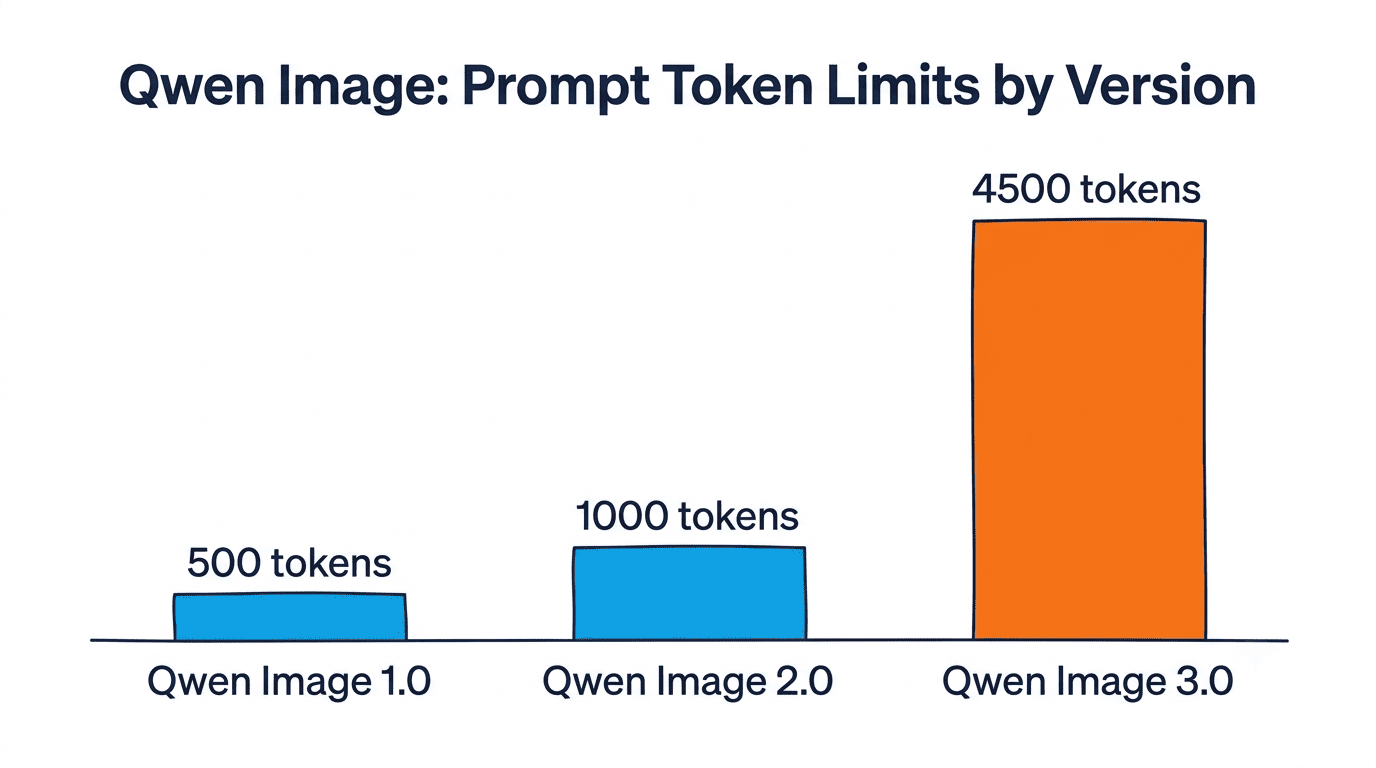
| Qwen-Image 2.0 | Feb 2026 | Completeness | 1k-token prompts, native 2K resolution, lighter architecture |
| Qwen-Image 3.0 | Jul 2026 | Real (实) | 4,500 tokens, 10px text, 12 languages, web-connected generation |
Rich Content: Up to 4,500 Tokens in a Single Pass
The most structurally significant capability in Qwen Image 3.0 is its prompt length: the model accepts up to 4,500 tokens in a single generation request — 4.5 times the 1,000-token ceiling of Qwen-Image-2.0. At this length, a single prompt can describe nine independently specified infographic panels, complete with captions, layout constraints, color palettes, and typography directives, and receive the finished multi-panel image in one pass.
This matters because the alternative — generating panels individually and compositing them — introduces visual inconsistencies: mismatched font weights, slightly different color values, and inconsistent element sizing. Single-pass generation with a unified 4,500-token prompt eliminates these issues at the source.
The real-world use cases this unlocks are substantial. Full-page newspaper spreads, multi-panel storyboards, restaurant menus with detailed per-item copy, and multi-page exam papers — all of these were previously multi-step workflows. Qwen Image 3.0 compresses them into a single API call.
Dense Information Layouts and Nested Structures
Beyond raw prompt length, the Qwen image generator handles visual complexity that other models struggle with: images-within-images (picture-in-picture) up to multiple nesting levels, 3×3 infographic grids where each cell is independently specified, LaTeX mathematical formulas rendered inline with surrounding text, and logical derivation diagrams.
Consider a practical example: a product advertisement banner containing a mobile app screenshot (which itself shows a live dashboard UI) with an explanatory callout and a fine-print disclaimer below. This is a three-level nested layout — Qwen Image 3.0 produces it from a single detailed prompt.
Use cases that benefit most from this dense layout capability:
- Social media carousels and multi-panel infographics
- Technical documentation with embedded diagrams and formulas
- Marketing materials with complex copy-image relationships
- Educational worksheets, flashcards, and exam papers
Authentic Details: 10px Text and Near-Photography Quality
Precise Text Rendering
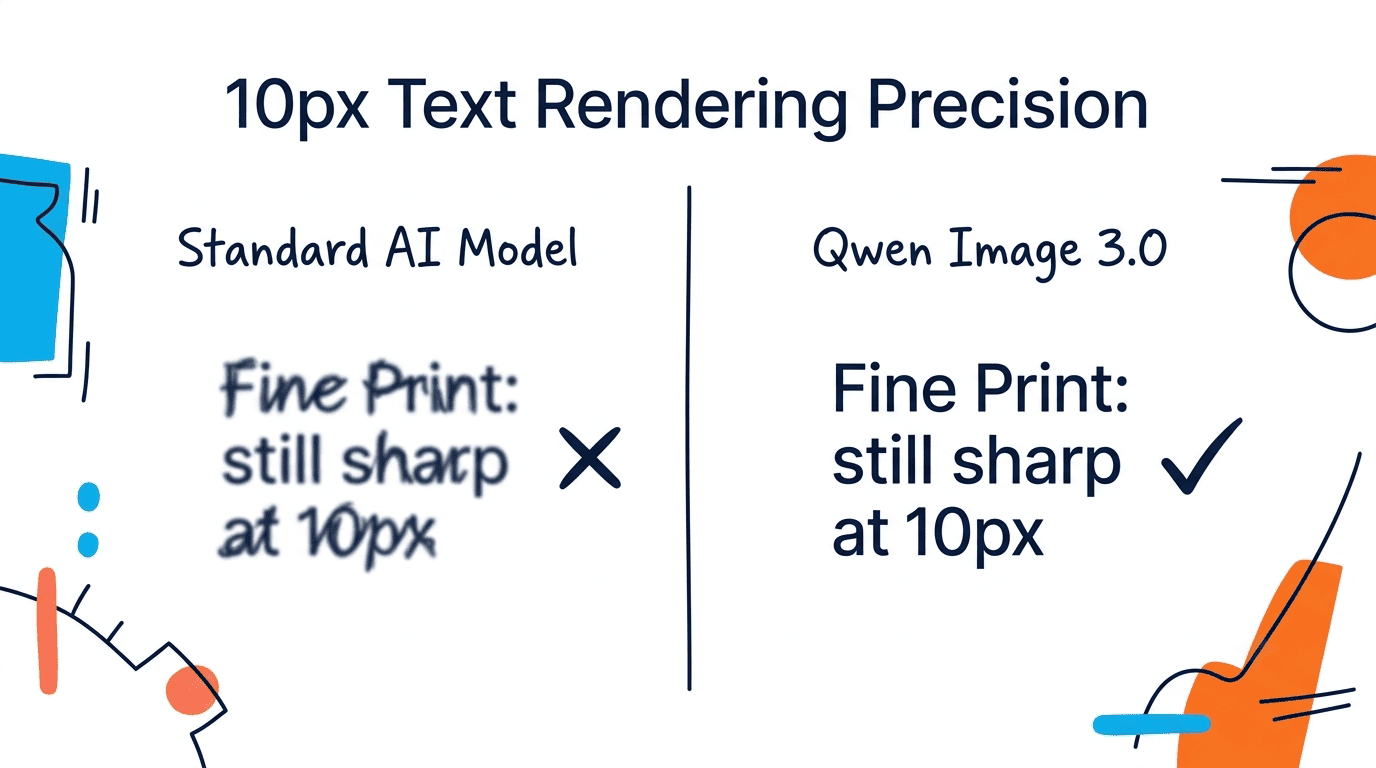
Qwen Image 3.0 renders text accurately at 10 pixels — a threshold that makes it possible to produce readable legal disclaimers in product packaging mockups, fine print in financial document visualizations, and footnote references in academic poster designs. Ten pixels is roughly the size at which standard screen fonts become difficult to read for the human eye; the fact that the model can generate correct letterforms at this size is a meaningful capability gap over models that blur or corrupt text below 20-30px.
This builds on a core strength of the Qwen-Image series from its inception. The original 1.0 model introduced reliable Chinese and English character rendering; 2.0 extended this to professional infographic layouts at 1k-token prompts. Version 3.0 pushes the precision standard to near-print quality at minimal font sizes.
Qwen-Image-3.0 is not just pursuing ‘good-looking’ — it is pursuing ‘useful,’ making image generation a truly deployable productivity tool.
Qwen Team, QwenCloud announcement, July 2026
Micro-Level Visual Fidelity
Beyond typography, Qwen Image 3.0 renders fine physical details with photographic accuracy. The model captures individual pores in skin, distinct hair strands rather than blended masses, and micro-expressions that convey precise emotional states. Qwen-Image-2512 (December 2025) established this level of fidelity for human portraiture specifically; version 3.0 extends it across a much broader subject range — food photography, material textures, product surfaces, and environmental details.
The Qwen Team describes the quality bar as “approaching real photography” — a claim supported by Qwen-Image-2512’s #1 ranking among open-source models on AI Arena following 10,000+ blind evaluation rounds.
Deep Knowledge: 12 Languages, Real Interfaces, and Web Access
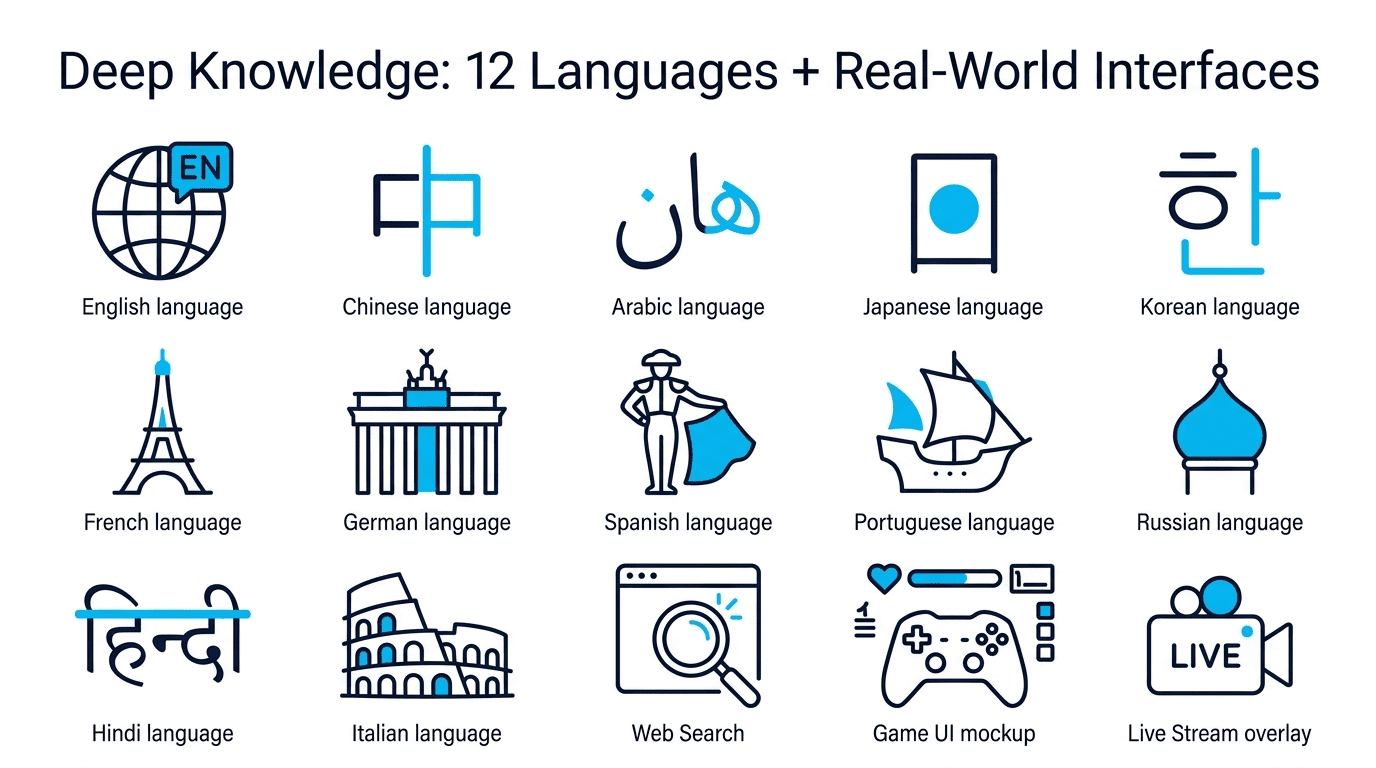
Native multilingual typography is where Qwen Image 3.0 draws its clearest competitive line. The model renders text in 12 languages using 20+ font variants, maintaining typographic conventions appropriate to each writing system — including right-to-left scripts, logographic characters (Chinese, Japanese, Korean), and languages with complex diacritics. This is not transliteration or post-processing overlay; text is understood semantically and reproduced with contextually correct letterforms for each script.
The practical consequence: global teams can generate multilingual marketing materials, localized UI screenshots, and multilingual product labels without switching tools or manually adjusting outputs for each language version. A single prompt specifying target language and copy renders correctly for every supported script.
Realistic Interface Simulation
The Alibaba AI image model generates accurate mockups of web pages, mobile applications, game UIs, and live-streaming overlays — complete with platform-specific chrome, navigation patterns, and interaction elements. A web page mockup includes realistic address bars, scroll indicators, and link styling. A mobile app screenshot respects OS-level design conventions for iOS or Android. A game UI renders HUD elements in genre-appropriate layouts.
This makes Qwen Image 3.0 directly applicable to:
- UX/UI design prototyping before any code is written
- App store screenshot generation for product listings
- Game UI concept art and creative direction reviews
- Live-streaming layout design and overlay mockups
Web-Connected Generation
Qwen Image 3.0 integrates a Web Search capability that allows it to incorporate real-time data into generated images. The example from Alibaba’s announcement: prompting for a weather forecast visual for a specific city and date returns an accurate graphic — not an approximation — because the model retrieves current conditions before rendering. This is architecturally different from purely generative models, which can only extrapolate from training data.
For practical applications, this means generated infographics can reflect current statistics, live market data, or event-specific information without the user having to manually supply figures in the prompt.
How to Access Qwen Image 3.0
There are two routes to using Qwen Image 3.0: a no-code browser interface and a developer API. Both currently operate under an invitation-only preview, meaning access is not yet universally available.
Via chat.qwen.ai (No-Code)
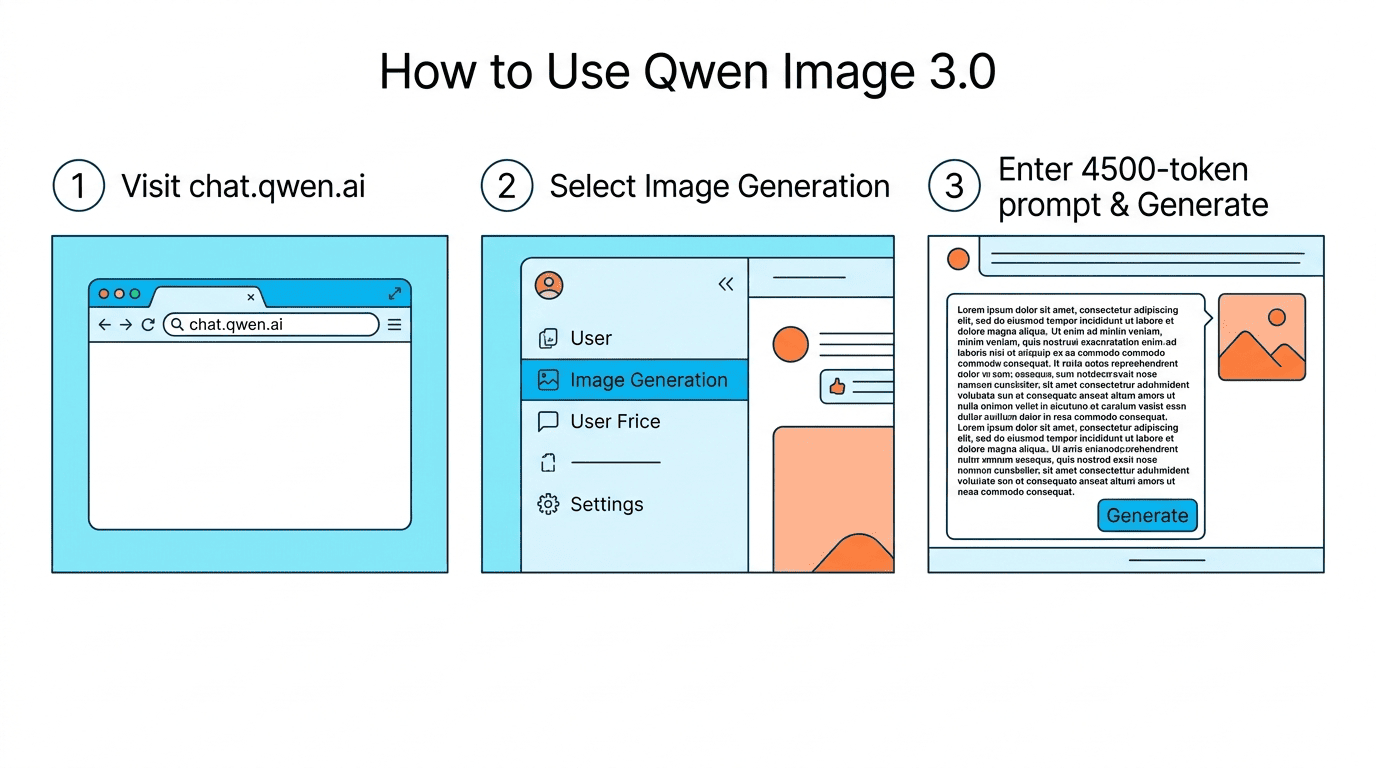
The simplest path is chat.qwen.ai. After logging in with a Qwen account, select “Image Generation” and enter a prompt. The full 4,500-token limit applies here — the chat interface supports detailed structured prompts without truncation. No API credentials are required for this route.
Via QwenCloud / DashScope API (Developer)
For programmatic generation, the API details are as follows:
| Parameter | Value |
|---|---|
| Model ID | qwen-image-3.0-pro |
| API Endpoint | https://dashscope-intl.aliyuncs.com/api/v1/services/aigc/multimodal-generation/generation |
| Authentication | Bearer token (API key from home.qwencloud.com/api-keys) |
| Rate Limit | 1 RPM (invitation-only preview tier) |
| Documentation | docs.qwencloud.com |
Here is the minimal workflow for making a generation request via the DashScope API:
- Create a QwenCloud account at home.qwencloud.com.
- Generate an API key from the API Keys section of your dashboard.
- Submit a POST request to the generation endpoint with
model: "qwen-image-3.0-pro"and your prompt in the messages array. - Receive a task ID in the response — generation is asynchronous.
- Poll the task status endpoint using the task ID until status changes to
SUCCEEDED. - Retrieve the generated image URL from the task result and download or embed it.
- Check rate limits — during the invitation-only preview, the limit is 1 request per minute.
Enterprise API Features
The qwen-image-3.0-pro model supports several advanced integration features that go beyond basic generation:
- Function Calling — connect the image model to external data sources and tools at generation time
- Context Cache — stores shared prompt prefixes to reduce latency and computation for long-context batch workflows
- Structured Outputs — return JSON-formatted metadata alongside generated images for programmatic downstream processing
- Fine-tuning — customize the base model on domain-specific visual styles, brand guidelines, or proprietary design systems
- Batch processing — submit multiple generation requests in parallel within API rate limits
Qwen Image 3.0 vs. Previous Versions and Competitors
Version Comparison: 3.0 vs. 2.0
The direct upgrade path from Qwen-Image-2.0 (February 2026) shows measurable differences across every core capability:
| Capability | Qwen-Image-2.0 | Qwen-Image-3.0 |
|---|---|---|
| Max prompt length | 1,000 tokens | 4,500 tokens |
| Text rendering precision | Strong | Down to 10px |
| Language support | Multilingual | 12 languages natively |
| Font variants | Not specified | 20+ |
| Open weights | No | No |
| Web-connected | No | Yes |
| Benchmarks published | Yes | Not released |
| API model ID | Not specified | qwen-image-3.0-pro |
The Open-Source Pivot: What Changed from 1.0
Qwen-Image-1.0 (August 2025) was released under an Apache 2.0 open-source license with weights on HuggingFace and ModelScope, accompanied by a technical report on arXiv (arXiv:2508.02324) describing the 20B-parameter MMDiT architecture. Community fine-tunes, local deployments, and academic research built on that foundation.
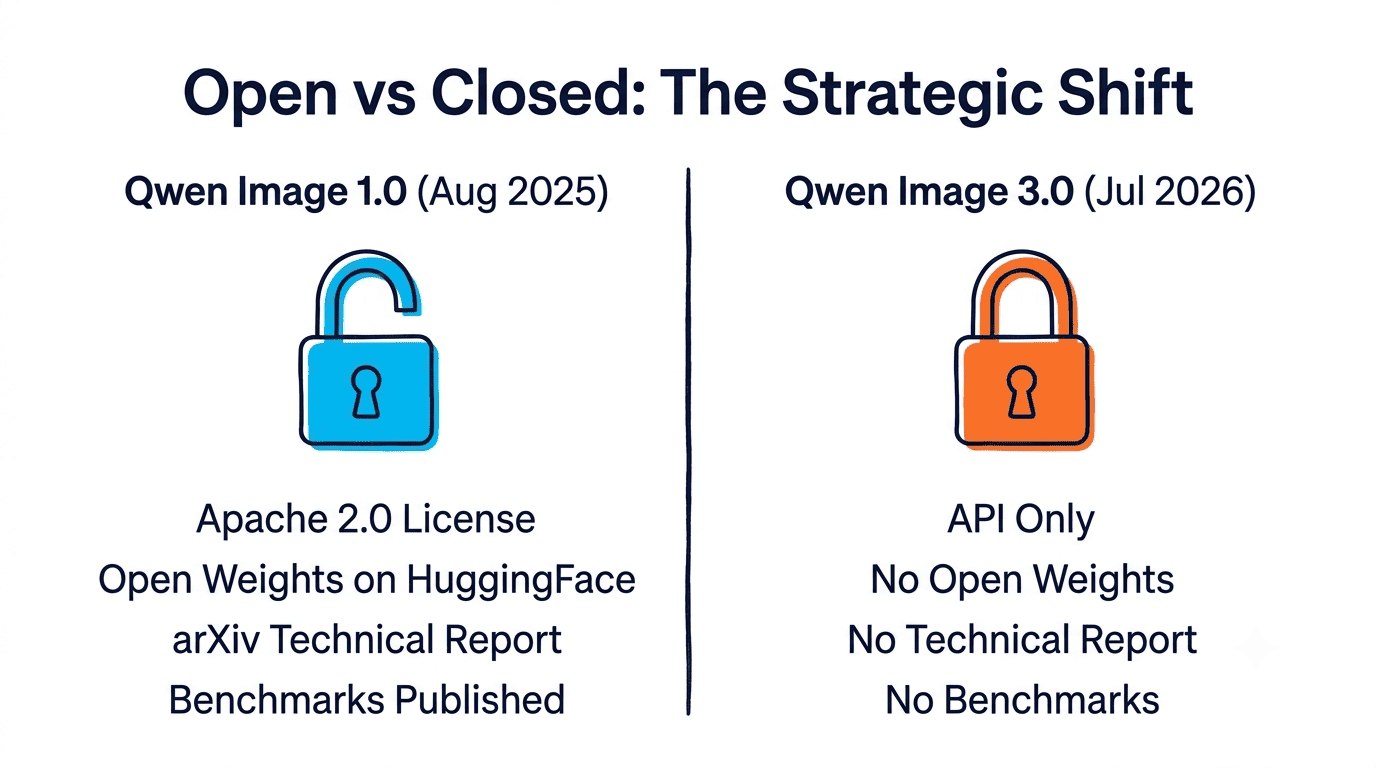
Qwen Image 3.0 ships as a closed API with no weights, no technical report, and no architecture disclosure. This is a deliberate strategic shift — from open research model to commercial deployment product. The implication for developers: community fine-tunes and self-hosted variants remain on the 1.0 weights, not 3.0. The Qwen team has not indicated a plan to release 3.0 weights.
Positioning vs. Midjourney and DALL-E
No official benchmarks comparing Qwen Image 3.0 to competing models have been published. Based on stated capabilities, the differentiation breaks down as follows:
- vs. Midjourney: Qwen-Image-3.0 is stronger for document and infographic generation with 4,500-token structured prompts; Midjourney leads on artistic and stylistic output
- vs. DALL-E 3: Explicit 12-language native rendering versus DALL-E’s English-first approach; Qwen’s web-connected retrieval versus DALL-E’s static training data
- vs. Ideogram: Both have a text-first positioning, but Qwen’s longer prompt capacity enables multi-panel single-pass outputs that Ideogram cannot match at current prompt limits
Limitations of Qwen Image 3.0
No open weights, no published benchmarks, and restricted access are the three concrete limitations to account for when evaluating Qwen Image 3.0 for a project.
The closure of the model architecture means independent researchers cannot verify capability claims, audit the model for bias, or reproduce results outside the API. The absence of benchmarks against standard evaluation sets — T2I-CompBench, DrawBench, GenEval — makes comparative quality assessment depend entirely on third-party empirical testing rather than vendor-provided metrics.
The 1 RPM rate limit during the invitation-only preview is a practical constraint for any batch generation workflow. At one request per minute, generating 100 images takes roughly 100 minutes even with zero generation latency — suitable for low-volume prototyping, but not production scale. Full availability timelines and pricing have not been disclosed.
Community users who built workflows on Qwen-Image-1.0 weights (via HuggingFace or ModelScope) should note that 3.0 is not a drop-in replacement in any self-hosted setup. The version progression from open to closed is architectural as much as commercial.