
Sketch in ChatGPT: Draw Your Vision, Generate the Image
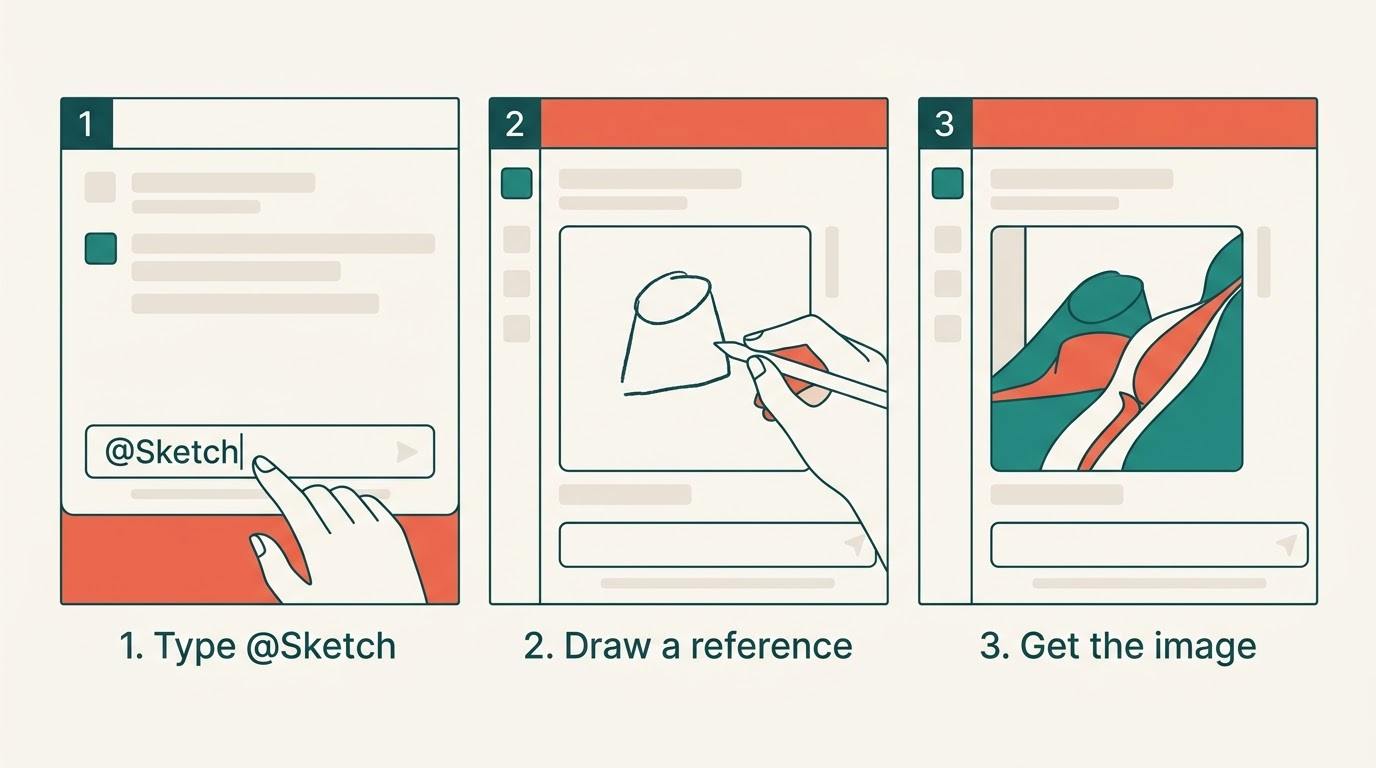
Sketch is a drawing canvas built into ChatGPT that you use as a visual reference before generating an image. Access it at chatgpt.com/sketch or type @Sketch in any chat — ChatGPT reads your rough layout and produces an image that matches your composition. No design skill needed: the sketch is a spatial blueprint, not finished art.
Sketch shipped on September 8, 2026, as part of ChatGPT Images 2.5 — OpenAI’s latest image model — alongside Templates, image Comments, and Prompt Sharing. Together they give you compositional control that text prompts alone cannot.
What Sketch Does
When you need a specific layout — product on the left, headline on the right, gradient background — describing that in words takes many retries. Sketch lets you draw the composition freehand, then layer a text description on top. Your lines tell the model where things go; your prompt tells it what they are.
OpenAI describes Sketch as a visual reference surface, not a painting tool. It works within the same layered safety stack covered in the system card for ChatGPT Images 2.5, published the same day. Sketch is available to all tiers — free, Plus, Pro, ChatGPT Work, and Codex — on desktop, mobile, and web.
How to Use Sketch
- Go to chatgpt.com/sketch or open any ChatGPT chat.
- Type @Sketch in the message field; the drawing canvas opens.
- Draw your composition — boxes for objects, rough shapes for backgrounds, arrows for placement.
- Label key elements on the canvas if helpful (e.g., “logo here”).
- In the text field, describe the content: subject, style, colors, mood.
- Hit Generate. ChatGPT merges sketch and prompt into one image.
You can iterate: comment on the result, adjust the sketch, and regenerate without losing your progress.
Templates, Comments, and Prompt Sharing
Three complementary tools ship alongside Sketch.
Templates offer pre-built layouts for Poster, Merch, flyers, and product photos — useful when the format is fixed and you only need to customize the content.
Comments let you click any region of a generated image and leave a targeted note. ChatGPT edits only that area and leaves the rest intact.
Prompt Sharing lets you share the prompt behind a finished image, so teammates or clients can rerun it with their own photos and details.
The SynthID watermark by Google DeepMind and C2PA provenance metadata persist across every generated or shared image, keeping authorship traceable.
For API work, GPT-Image-2.5 Flare runs the same model at up to 50% lower latency — see the OpenAI pricing page for token rates.
FAQ
What is the Sketch feature in ChatGPT?
A freehand drawing canvas inside ChatGPT. Draw a rough layout, add a text description, and the model generates an image that matches your composition. Available at chatgpt.com/sketch or via @Sketch.
How do I invoke Sketch?
Type @Sketch in any ChatGPT chat. The canvas opens — draw your layout, describe the content, hit Generate.
What are image Templates?
Pre-built starting points for Poster, Merch, flyers, and product photos. Pick a template, then customise the content without designing the layout from scratch.
Can I leave comments on a generated image?
Yes. Click any region, leave a note, and ChatGPT edits only that area — the rest of the image stays unchanged.
Is Sketch free?
Yes, available on all ChatGPT tiers — free, Plus, Pro, Work, and Codex — on desktop, mobile, and web.