
ChatGPT Images 2.5: What’s New in OpenAI’s State-of-the-Art Image Model
On September 8, 2026, OpenAI shipped ChatGPT Images 2.5 — its next-generation image model with sharper output, up to 50% faster generation, and a revamped editing experience. It succeeds ChatGPT Images 2 from April 2026 and immediately becomes the default image engine inside ChatGPT for all users across every tier.
The context around this launch is staggering: people already create more than 3 billion images every week across ChatGPT Images and the GPT-Image models available in the API. Images 2.5 rolls out to all ChatGPT, ChatGPT Work, and Codex users on desktop, mobile, and web — alongside two new API models designed for different production workloads.
What Is ChatGPT Images 2.5?
Release and positioning
OpenAI released ChatGPT Images 2.5 on September 8, 2026, positioning it as the company’s most capable image model to date. It follows ChatGPT Images 2, which arrived in April 2026 roughly five months earlier, and lands in the wake of the GPT-6 Astra launch. OpenAI’s new image model is designed to serve as the current default generation engine inside ChatGPT — meaning every new image request automatically runs on Images 2.5 without any setting change.
The model sits at the top of a lineage that stretches back to DALL-E, OpenAI’s earliest image research. Over that period, the focus has shifted from pure research demos toward production-grade tools: multi-turn editing, reference fidelity, and speed at scale all matter more than novelty benchmarks alone.
Who can use it
Images 2.5 is available to all ChatGPT tiers — including the free tier — as well as ChatGPT Work and Codex subscribers. Access spans desktop apps, the mobile app, and the web interface. For developers, two new API models (GPT-Image-2.5 Flare and GPT-Image-2.5 Sunburst) shipped simultaneously and are accessible through the standard OpenAI API endpoint.
What’s New vs ChatGPT Images 2
Speed and quality
The headline improvement is latency: Images 2.5 delivers up to 50% lower image-generation latency compared with its predecessor. That translates to noticeably faster first-image results in interactive sessions and substantially higher throughput for API workloads. Beyond speed, OpenAI reports more natural lighting conditions, richer surface textures, and more accurate rendering of real-world information embedded in images.
| Attribute | ChatGPT Images 2 (April 2026) | ChatGPT Images 2.5 (Sept 2026) |
|---|---|---|
| Generation latency | Baseline | Up to 50% lower |
| Lighting and texture | Standard | More natural, richer |
| Multi-turn editing | Good | More reliable, additive |
| Background handling | Limited | Full transparent support |
| Style consistency | Moderate | More consistent across turns |
| Real-world text accuracy | Standard | Improved |
Predecessor Images 2 introduced 2K resolution output, multiple aspect ratios, web research integration, support for non-Latin scripts, and two intelligence levels (Instant and Thinking). Images 2.5 builds on all of that rather than replacing it.
Reference fidelity and precise editing
One of the most practical upgrades is how the model handles reference photos. Images 2.5 preserves the subjects in your reference images with greater fidelity — faces, objects, and branded elements come through more accurately when used as inputs.
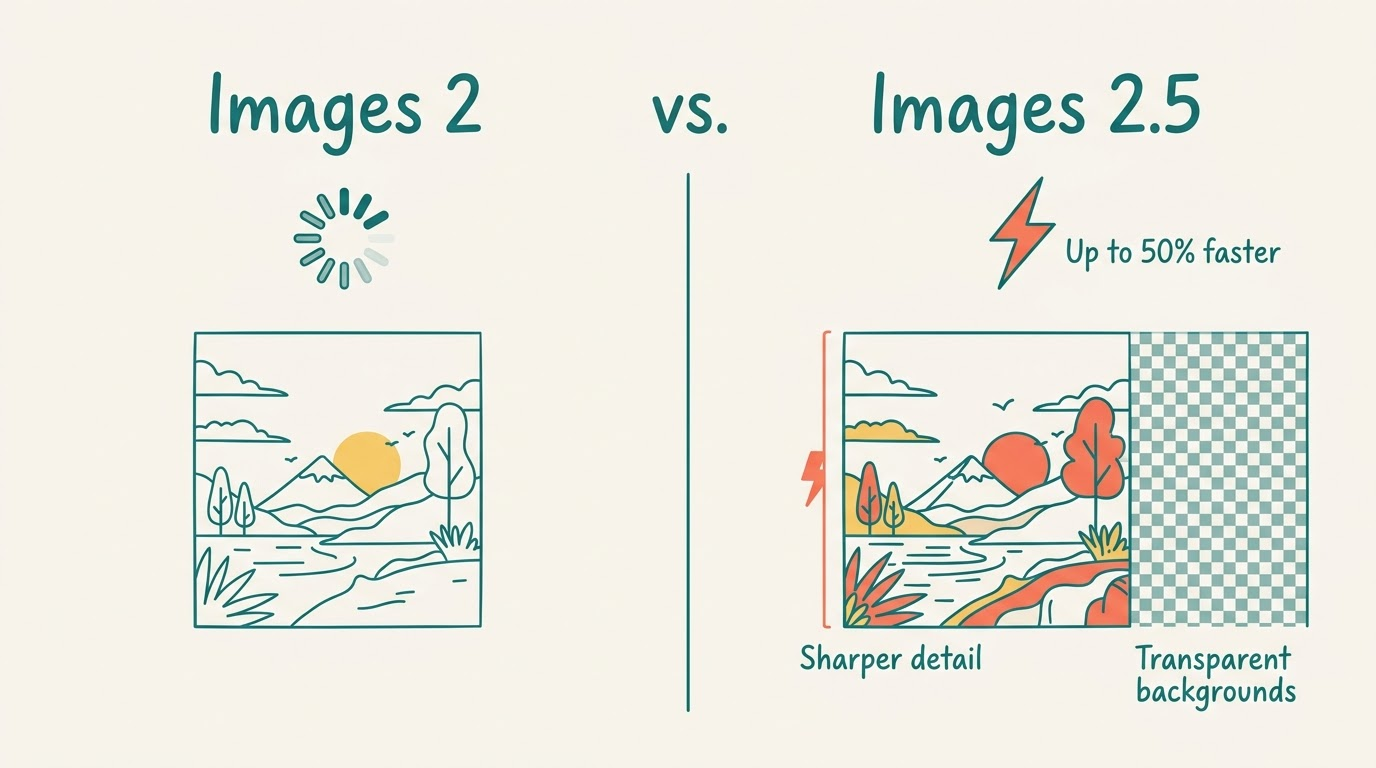
Editing precision also improved significantly. The model now changes only the elements you explicitly request, leaving the rest of the image intact even when the background or other subjects are visually complex. Transparent backgrounds and complex composite layouts are handled reliably, which removes a common friction point for product and e-commerce workflows.
In longer multi-turn conversations, earlier edits carry forward: each new instruction builds on prior work rather than resetting visual state, and quality does not degrade as the conversation thread grows. Requested visual styles also hold more consistently from edit to edit.
New Creation Tools: Sketch, Templates, Comments, and Prompt Sharing
Sketch
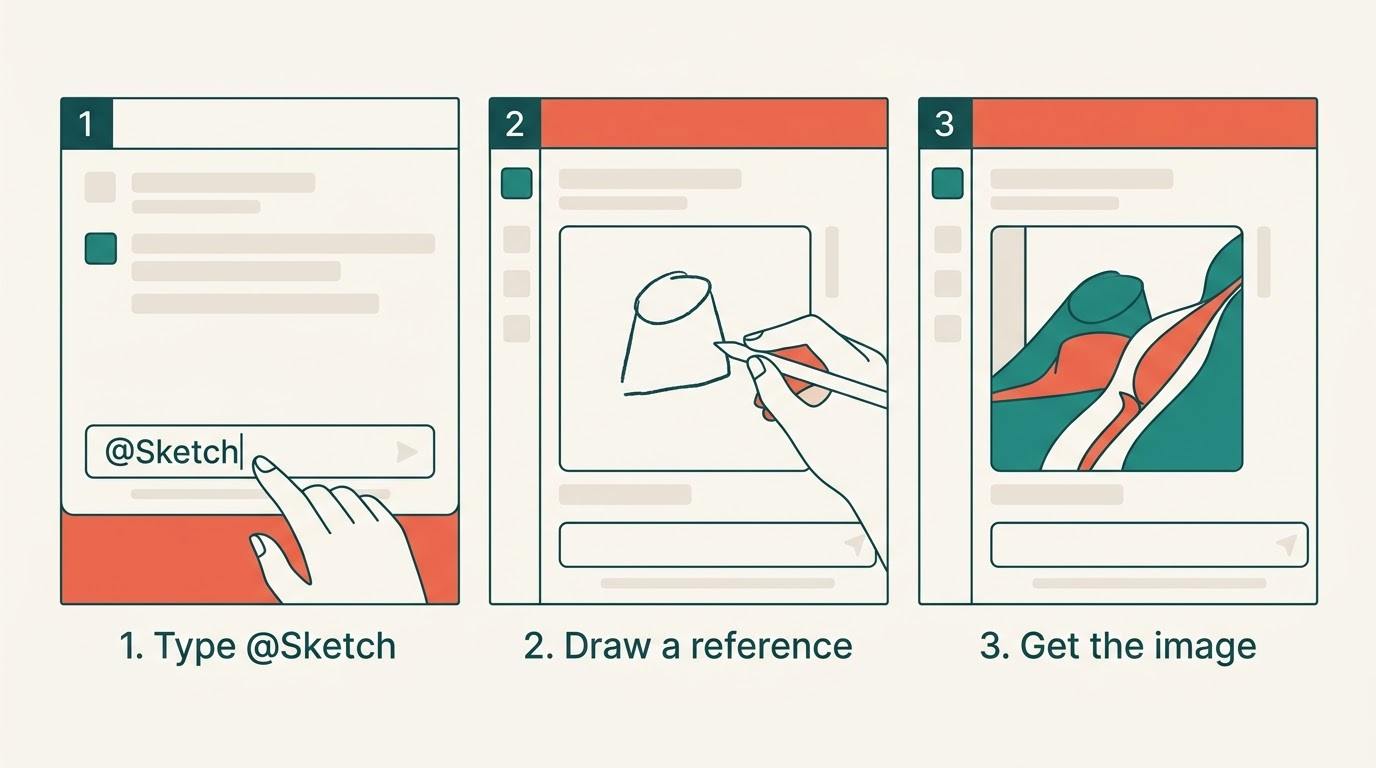
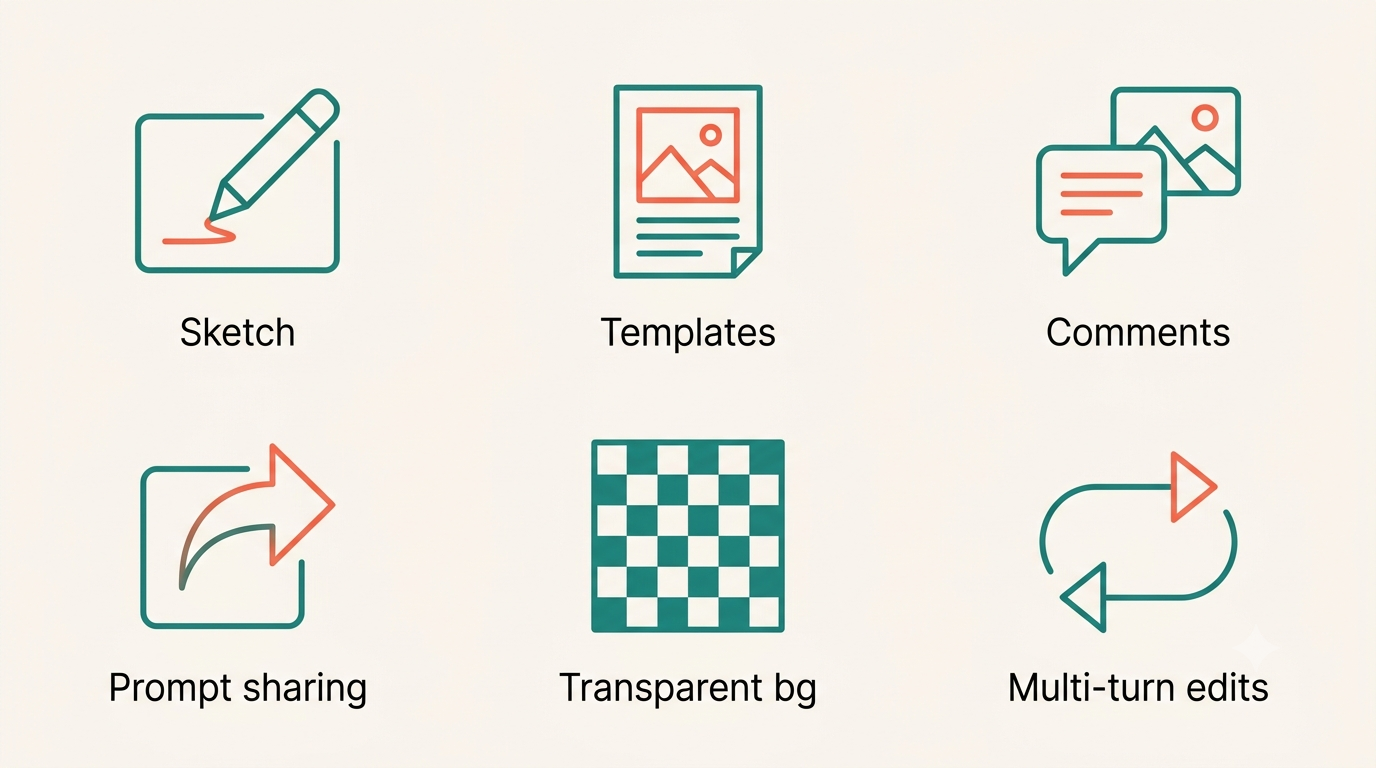
The most distinctive new ChatGPT feature bundled with Images 2.5 is Sketch. Type “@Sketch” in any chat to open a drawing canvas directly inside ChatGPT, where you can sketch a rough visual reference — a layout, a shape, a spatial relationship — that the model uses as a guide when generating the final image. The Sketch surface is available on the web and desktop clients. This closes the gap between verbal descriptions and visual intent: instead of describing a composition in words, you draw it. For a full walkthrough, see our guide to the Sketch drawing feature.
Templates, comments, and prompt sharing
Templates provide ready-made starting points for common visual formats. Named options include “Poster” for event and marketing flyers and “Merch” for product mockups — both cover the most frequent use cases that previously required manual prompting from scratch.
Comments can now be placed directly on a generated image to pinpoint exactly which area or element needs adjustment, replacing the need for lengthy textual descriptions of spatial location. The feature works similarly to design-tool annotation: click a region, type the edit instruction.
Prompt sharing lets you export the prompt behind any generated image so others can rerun the same idea using their own photos and contextual details. This is useful for teams iterating on a visual style and for creators who want to build remixable image recipes rather than locked outputs.
GPT-Image-2.5 Flare vs Sunburst (API)
Two distinct API models shipped alongside the ChatGPT update: GPT-Image-2.5 Flare and GPT-Image-2.5 Sunburst. They share the same underlying generation architecture but are tuned for different production contexts.
| Model | Target use case | Latency | Strengths |
|---|---|---|---|
| GPT-Image-2.5 Flare | Creator content, social, product UX, rapid prototyping, high volume | 50% lower than GPT-Image-2 | Speed, transparent backgrounds, high throughput |
| GPT-Image-2.5 Sunburst | Campaign creative, polished product imagery, premium visual workflows | Longer | Tighter editing control, production consistency |
Flare — the fast default
GPT-Image-2.5 Flare is the default API choice for most applications: it delivers higher-quality images than GPT-Image-2 at 50% lower latency. Early evaluations from the Manus team, led by Lucky Liao, found Flare running at two to four times the speed of GPT-Image-2 with noticeably improved transparent-background generation — a metric that matters for product photography and e-commerce overlays.
Flare targets workloads where volume and responsiveness matter:
- Creator and social content pipelines
- Product experience thumbnails and visual search features
- Rapid prototyping cycles
- High-volume API scenarios where throughput is a constraint
Sunburst — premium precision
GPT-Image-2.5 Sunburst is built for premium visual workflows that need tighter control across a sequence of edits. Production-ready campaign creative and polished product imagery are the stated sweet spots. Generation times are longer than Flare, but the trade-off is greater consistency and precision when a creative brief demands it.
How to choose between them in practice:
- Start with Flare for any new project — it handles the vast majority of use cases.
- Evaluate output quality against your visual bar after 10–20 test generations.
- If campaign-level consistency or multi-step editing precision falls short, switch to Sunburst.
- Run a latency benchmark for your specific image dimensions and prompt complexity.
- Factor cost into the decision — both models carry the same per-token pricing, so the choice is purely quality vs. speed.
- Monitor output rejection rates in production; Sunburst’s lower adversarial-generation rate may matter for high-scrutiny content.
Pricing and Availability in the API
Token pricing
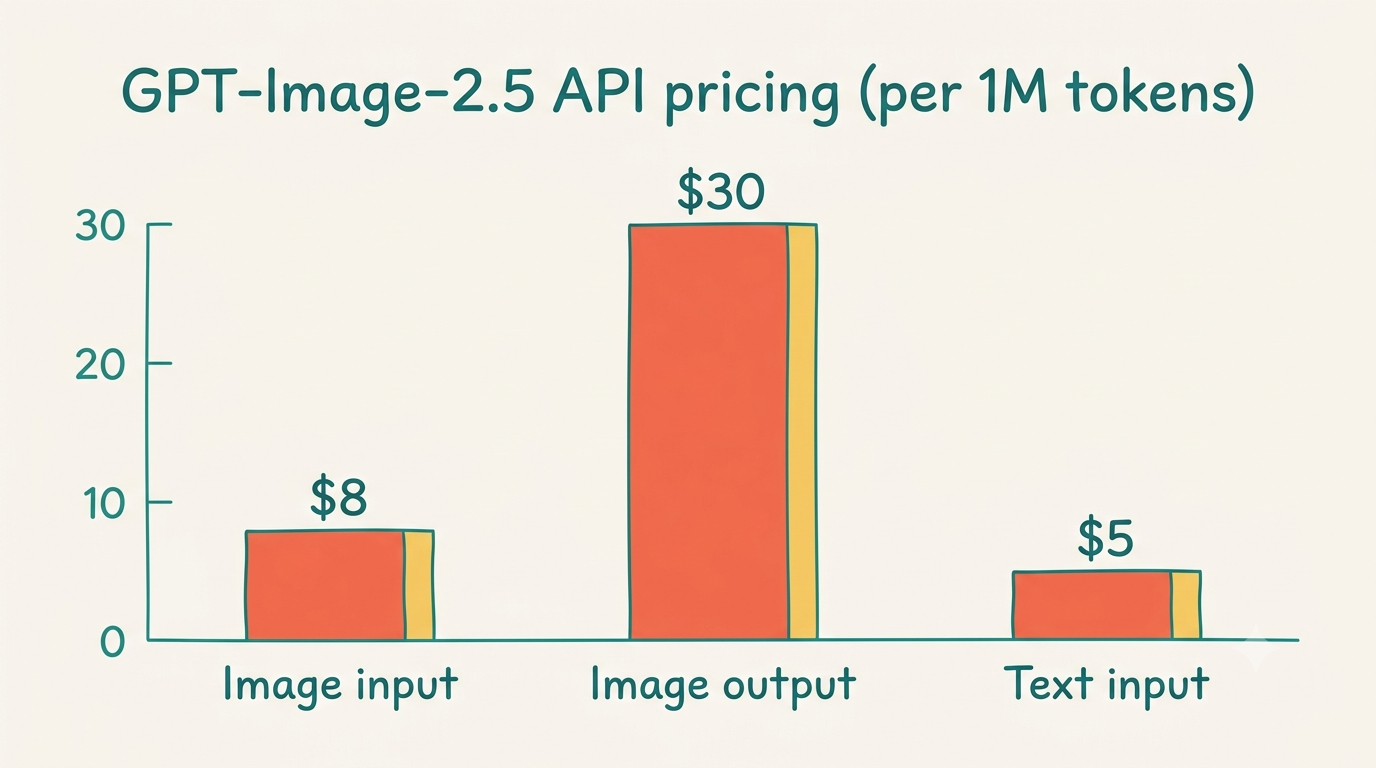
Both GPT-Image-2.5 models use identical rates on the OpenAI pricing page:
- Image input: $8.00 per 1M tokens ($2.00 cached)
- Image output: $30.00 per 1M tokens
- Text input: $5.00 per 1M tokens ($1.25 cached)
The pricing structure follows the same token-based model OpenAI uses across its language APIs, which means cached inputs are significantly cheaper — relevant for any workflow that processes similar reference images repeatedly.
Ecosystem
GPT-Image-2.5 is already integrated into Adobe Firefly, the generative design toolkit, through a partnership announced alongside the launch. Matt Chotin of Adobe confirmed the integration. Higgsfield AI and Manus were also named as early partners building on top of the new API models.
We’re making the most powerful image generation and editing model accessible to everyone — from individual creators to enterprise teams — because visual intelligence is becoming as fundamental as language intelligence.OpenAI, announcing ChatGPT Images 2.5
Safety, Watermarking, and Provenance
Layered safety
A system card published on September 8, 2026 describes the safety architecture behind Images 2.5. The approach is layered: LLM-based policy checks evaluate and refuse violative requests before any generation begins, and a separate safety reasoning model monitors both text and image inputs while also inspecting all outputs after generation.
OpenAI ran automated adversarial evaluations to measure the rate of unsafe outputs that bypassed those defenses:
- Sunburst: 1.09% adversarial unsafe generation rate
- Flare: 1.41% adversarial unsafe generation rate
- Images 2.0 baseline: 1.64%
Both new models score below the predecessor baseline. The Preparedness Framework assessment found that neither model crosses the Bio High or Cyber High thresholds — the two most sensitive risk categories OpenAI tracks for frontier models.
Provenance: SynthID + C2PA
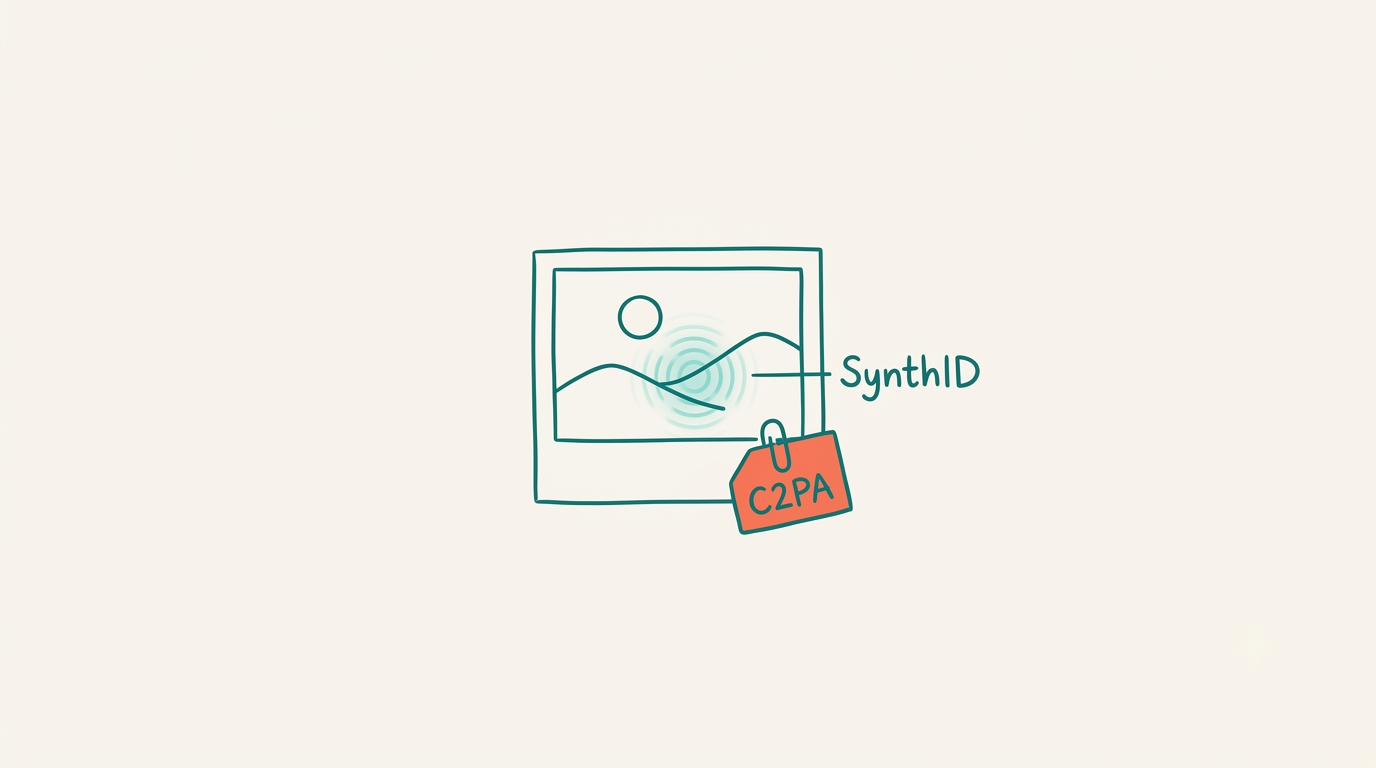
Every image generated by Images 2.5 carries two layers of provenance marking. The first is C2PA metadata — a machine-readable record of origin information embedded according to the C2PA Conformance Program standard, which allows downstream tools, platforms, and browsers to display verified provenance without modifying the visible image.
The second layer is SynthID, Google DeepMind’s invisible watermarking system. Unlike visible watermarks, SynthID encodes an imperceptible signal into the pixel structure that survives common transformations such as resizing or JPEG re-compression. According to the SynthID overview on Wikipedia, the technology was originally developed for images — first launched in August 2023 for Imagen-generated photos — and has since expanded to audio, video, and text.
Both provenance mechanisms apply across ChatGPT, Codex, and the OpenAI API — so every surface that generates an image through Images 2.5 produces a traceable output. For a deeper explanation, read our breakdown of how the SynthID watermark works on AI images.
FAQ
When did ChatGPT Images 2.5 come out?
ChatGPT Images 2.5 was released on September 8, 2026 — roughly five months after ChatGPT Images 2, which launched in April 2026.
What is the difference between GPT-Image-2.5 Flare and Sunburst?
Flare is the default API model optimized for speed — it delivers higher quality than GPT-Image-2 at 50% lower latency, making it ideal for high-volume and real-time use cases. Sunburst targets premium visual workflows with tighter editing control and production-ready consistency, at the cost of longer generation times.
How much does ChatGPT Images 2.5 cost in the API?
Both Flare and Sunburst use the same rates: image input $8.00 per 1M tokens ($2.00 cached), image output $30.00 per 1M tokens, and text input $5.00 per 1M tokens ($1.25 cached).
How do I use the Sketch feature in ChatGPT?
Type “@Sketch” in any ChatGPT chat to open the drawing canvas. Sketch a rough layout or shape as a visual reference, then describe the image you want — ChatGPT Images 2.5 uses your drawing to guide the final result.
Are ChatGPT Images 2.5 pictures watermarked?
Yes. Every image carries C2PA metadata (machine-readable provenance) and Google DeepMind’s SynthID invisible watermark. Both apply across ChatGPT, Codex, and the API.
Is ChatGPT Images 2.5 free?
Images 2.5 rolls out to all ChatGPT tiers including the free tier, as well as ChatGPT Work and Codex. API usage with GPT-Image-2.5 Flare or Sunburst is billed per token according to OpenAI’s standard pricing.