
AutoGLM Agent: Zhipu AI’s Autonomous GUI Agent Explained
AutoGLM is an autonomous foundation agent developed by Zhipu AI in collaboration with Tsinghua University that controls Android phones and web browsers through natural language commands — no app integrations or APIs required. On the z.ai platform, AutoGLM represents a significant leap in agentic AI: it sees your screen, reasons about your goal, and executes multi-step tasks across apps by simulating taps, swipes, and text input. The agent debuted in October 2024 with research benchmarks placing it far ahead of GPT-4o and Claude-3.5-Sonnet on GUI control tasks — and by early 2026 had expanded into a free consumer product and an open-source model.
What Is AutoGLM? From ChatGLM to Foundation GUI Agent
AutoGLM is a new series in the ChatGLM family designed specifically for agentic tasks — taking actions in digital interfaces rather than just generating text. Where ChatGLM answers questions, AutoGLM navigates apps. The agent is built on top of GLM-4.5 / GLM-4.5V, Zhipu AI’s reasoning and multimodal model, which provides both language understanding and visual screen parsing in a single model.
The AutoGLM paper on arXiv (arXiv 2411.00820, published October 2024) introduced two production-ready GUI control prototypes: one for web browsers using the Qingyan Browser Plugin, and one for Android phones using ADB. Research was led by Xiao Liu with joint teams from Zhipu AI and Tsinghua University. The project describes AutoGLM as a “foundation agent for GUIs” — a general-purpose system that can be adapted to any visual interface without per-app customization.
AutoGLM vs ChatGLM: What Changed
The fundamental shift is from response to action. ChatGLM is a language model: you give it a prompt, it returns text. AutoGLM is an agentic system: you give it a goal, and it operates a device to accomplish that goal. Think of ChatGLM as the brain and AutoGLM as the hands — the Zhipu AI agent uses GLM-4.5V as the reasoning core, then adds a grounding layer that translates decisions into precise screen interactions.
This distinction matters for developers and enterprise users. AutoGLM doesn’t require app SDKs, accessibility APIs, or automation frameworks from third parties. It operates at the visual layer — the same layer a human uses — which makes it generalize across apps that never anticipated being automated.
Product Timeline
| Date | Release |
|---|---|
| October 28, 2024 | Initial research release: web + Android prototypes |
| March 31, 2025 | AutoGLM Rumination + GLM-Z1 series launched free to public |
| August 2025 | Free web version broadly available at z.ai |
| October 2025 | AutoGLM 2.0: GLM-4.5 backbone, L4 autonomy, sandboxed cloud computer |
| December 8, 2025 | Open-AutoGLM (AutoGLM-Phone-9B) open-sourced under MIT/Apache-2.0 |
How AutoGLM Works: Architecture and Training
AutoGLM separates every task into two stages: planning (deciding what to do next) and grounding (mapping that decision to a pixel-precise screen tap or input). This intermediate interface design lets the model reason at a high level while the grounding layer handles the visual details of where exactly on the screen to act.
For Android, the autonomous GUI agent uses ADB (Android Debug Bridge) to simulate hardware input — taps, swipes, long presses, and text entry. For web browsing, it uses Set-of-Marks (SoM) prompting: a technique that overlays numbered labels on interactive elements so the model can reference them by ID rather than pixel coordinates. This makes web automation more stable across page reloads and dynamic content.
Self-Evolving Reinforcement Learning
AutoGLM’s key innovation is its training methodology. Rather than relying on human demonstrations alone, it uses a self-evolving curriculum via online reinforcement learning (WebRL / RLVR). The process starts with roughly 1,000 behavioral cloning examples — enough to reach 22.4% task success — then lets the agent explore real websites and receive binary success/failure signals, iterating on its own performance. This pushed benchmark scores to final reported levels without requiring massive labeled datasets.
This approach differs from the instruction fine-tuning used in most GUI agents. The model encounters genuinely novel UI states during training (because real websites change), learns to recover from mistakes, and develops more robust action sequences. The result is an agent that generalizes better than models trained purely on recorded demonstrations.
Supported Platforms and Actions
- Android 7.0+ and HarmonyOS via ADB/HDC connection
- Web browsers via the Qingyan Browser Plugin
- 10 action types: Launch, Tap, Type, Swipe, Back, Home, Long Press, Double Tap, Wait, Take_over
- 50+ Android apps and 60+ HarmonyOS native apps (WeChat, Taobao, Douyin, Gmail, Google Maps, and more)
The “Take_over” action is worth noting: when the agent encounters uncertainty or a step requiring human judgment (e.g., a CAPTCHA or a payment confirmation), it pauses and hands control back to the user. This design prevents compounding errors in high-stakes sequences.
AutoGLM Performance: Benchmarks and Real-World Results
AutoGLM’s benchmark performance is what put it on the map in late 2024. The results across three major evaluation suites tell a consistent story: specialized training for GUI control outperforms general-purpose frontier models by a large margin.
“AutoGLM is the first to achieve over 50% success on VAB-WebArena-Lite with a single model, without any external tool chaining or human intervention during execution.”Xiao Liu et al., AutoGLM Paper (arXiv 2411.00820)
Web Browsing: VAB-WebArena-Lite
On VAB-WebArena-Lite — a benchmark of 165 real-world web tasks covering e-commerce, information lookup, and form completion — AutoGLM achieves a 55.2% success rate. Given a second attempt, this rises to 59.1%. The contrast with general-purpose models is stark:
| Model | VAB-WebArena-Lite | With 2nd Attempt |
|---|---|---|
| AutoGLM | 55.2% | 59.1% |
| Claude-3.5-Sonnet | — | — |
| GPT-4o | 18.2% | — |
| Agent Q | — | ~40% |
On OpenTable restaurant booking tasks (a more structured benchmark), AutoGLM reaches 96.2%, compared to GPT-4o at 62.6% and Agent Q at 81.7%.
Android Device Control
On AndroidLab (VAB-Mobile), the AI agent for Android achieves 36.2% task completion. This places it ahead of Claude-3.5-Sonnet (29.0%) and GPT-4o (31.2%) on the same benchmark. On popular Chinese apps — WeChat, Taobao, Meituan, and others — success rates reach 89.7%, reflecting AutoGLM’s strong optimization for that app ecosystem.
Real-World Observations
In extended hands-on testing (Kunpeng AI Lab, 2026), the mobile AI agent performs best on:
- Ordering (coffee, food delivery) through single-app flows
- Composing short messages and calendar entries
- Simple cross-app sequences (e.g., look up a business, add to contacts, send a message)
Current limitations to be aware of:
- Interface instability when apps update their layouts between agent runs
- Broad device permissions required (ADB access is significant)
- Speed and reliability tradeoffs on complex multi-app tasks
- No iOS support (Android 7.0+ and HarmonyOS only)
The agent is best suited to Android early adopters running low-risk repetitive workflows — not yet a full phone automation replacement.
AutoGLM Product Lineup: Rumination, 2.0, and Open-AutoGLM
By 2025, AutoGLM had expanded well beyond its research prototype origins into a family of products addressing different user segments — from casual web users to developers deploying local models.
AutoGLM Rumination: Free Deep Research Agent
AutoGLM Rumination (launched March 2025) is Zhipu AI’s answer to Manus AI — a free agentic product that can browse the web, use tools, and complete multi-step research tasks autonomously. It’s available at z.ai (web), as an iOS app, and with API access on request. Unlike Manus AI ($39–$199/month, with invite codes previously selling for up to $7,000), AutoGLM Rumination is free. The “Rumination” name refers to the product’s longer reasoning chains, built on the GLM-Z1 model family.
AutoGLM 2.0: L4 Autonomy
AutoGLM 2.0 (October 2025) operates at what Zhipu AI calls “L4 autonomy” — the agent runs on sandboxed cloud computers, can complete complex operations spanning 54+ steps across applications, and treats the human as an approver rather than an operator. It supports MCP (Model Context Protocol) for tool integration, and the execution environment is isolated from the user’s device, reducing privacy and security concerns. Cross-app execution at this level — planning a multi-app workflow, executing it, and reporting results — represents a meaningful qualitative step beyond the 2024 research prototype.
Open-AutoGLM: The Open-Source Model
Open-AutoGLM (released December 8, 2025) is the open-source, locally deployable version of the phone agent. The core model is AutoGLM-Phone-9B-Multilingual (~20GB), built on the GLM-4.1V-9B-Thinking architecture. Minimum hardware requirements:
- GPU with 24GB+ VRAM (e.g., RTX 3090, A10, or better)
- Python 3.10+ environment
- Android 7.0+ or HarmonyOS device with USB debugging enabled
- Stable ADB or HDC connection to the device
For context on Zhipu AI’s broader model family and coding capabilities, see their GLM coding roadmap — which shows how AutoGLM fits within the wider GLM-4.5 ecosystem.
The GitHub repository (github.com/zai-org/Open-AutoGLM) has over 25,800 stars — and the broader Zhipu AI research organization (THUDM on GitHub) maintains the full GLM model family including ChatGLM and CogVLM. Third-party API providers — z.ai, Novita AI, and Parasail — serve users without local GPU resources. Note: the model is released for research and learning use; commercial deployment requires separate licensing from Zhipu AI.
AutoGLM vs Competitors: How It Compares
AutoGLM’s core advantage is specialization. It was trained end-to-end for GUI control using reinforcement learning on real tasks, while GPT-4o and Claude-3.5-Sonnet were trained as general-purpose assistants. The gap in benchmark performance — AutoGLM at 55.2% vs GPT-4o at 18.2% on VAB-WebArena-Lite — reflects that specialization directly.
Against Manus AI, the differentiator is price and architecture. Manus AI is expensive (subscription-based, $39–$199/month), operates on a general computer-use paradigm, and was developed by a separate Chinese startup. AutoGLM Rumination is free, built on Zhipu AI‘s own GLM-4.5 stack, and deeply integrated with the z.ai ecosystem. AutoGLM outperforms on AgentBench across tool execution, reasoning, and browser automation tasks.
The GLM-Z1-Air comparison reveals efficiency gains. Zhipu AI’s GLM-Z1-Air runs 8x faster than DeepSeek-R1 at roughly 1/30th the compute cost, and AutoGLM 2.0 benefits from the same efficiency improvements in the underlying model family. This matters for commercial deployment: faster, cheaper inference makes agentic use cases economically viable at scale.
For the Chinese market and HarmonyOS ecosystem, AutoGLM has no direct competitor. With 60+ native HarmonyOS apps supported and optimization for Chinese apps (89.7% success), it occupies a niche that western AI agents haven’t prioritized.
Comparison Table
| Feature | AutoGLM Rumination | Manus AI | GPT-4o (GUI) |
|---|---|---|---|
| Price | Free | $39–$199/mo | Usage-based |
| Android control | Yes (ADB) | Limited | No |
| HarmonyOS support | Yes | No | No |
| Open-source model | Yes (9B) | No | No |
| WebArena benchmark | 55.2% | Not published | 18.2% |
| Commercial license | Separate required | Included | Included |
How to Use AutoGLM: Getting Started
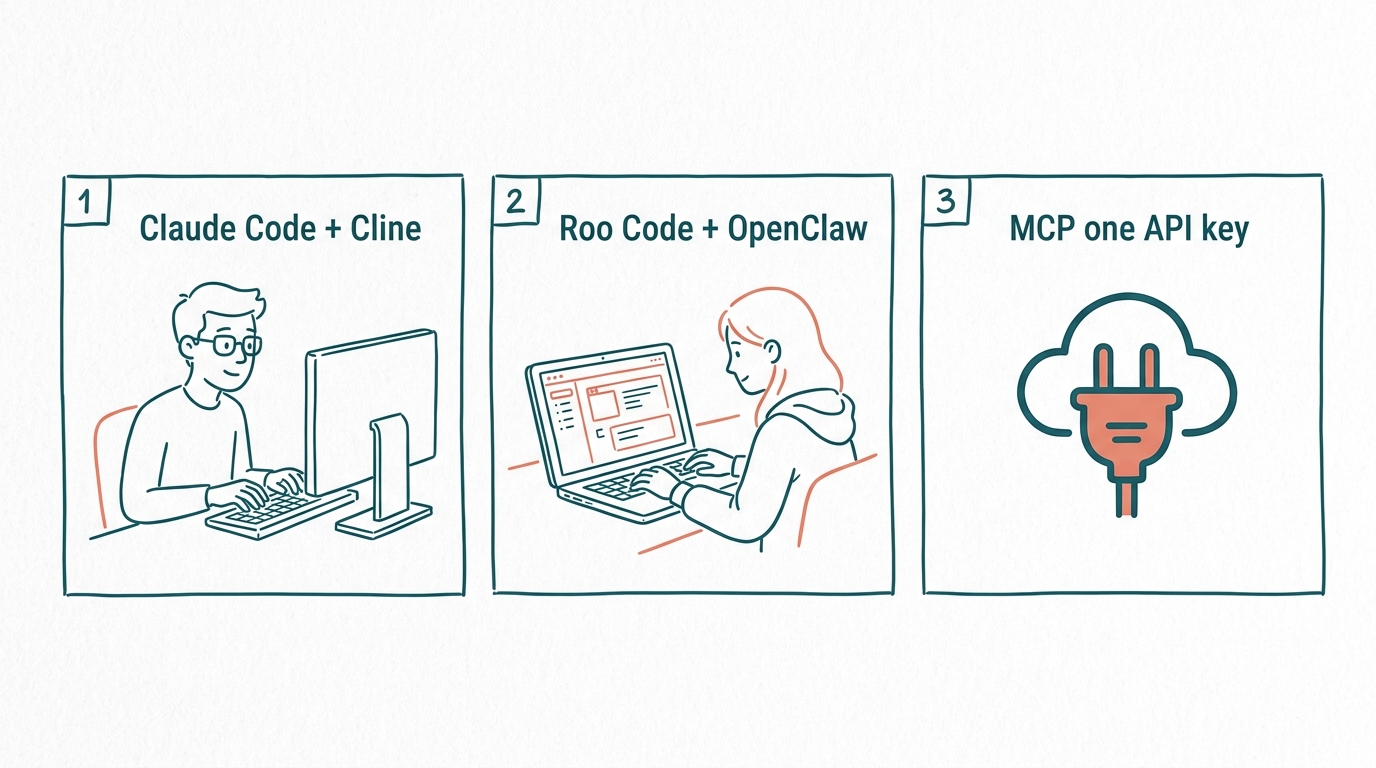
Getting started with AutoGLM depends on your use case. The web version requires no setup. The Android phone agent requires ADB configuration. The open-source local deployment requires a capable GPU and some developer comfort.
Step-by-Step: Android Phone Agent Setup
- Enable Developer Options on your Android 7.0+ device (tap Build Number 7 times in Settings → About Phone)
- Enable USB Debugging under Developer Options
- Download the AutoGLM Android app from z.ai or the official GitHub releases
- Connect your Android device to your computer via USB and grant ADB authorization
- Open the AutoGLM app, complete account setup, and verify ADB connection status
- Describe your task in natural language (e.g., “Order a coffee from Starbucks for pickup at 10am”)
- Review the agent’s action plan before it executes, and use Take_over if you need to intervene
Web Version (Easiest Entry Point)
For the web-based autonomous foundation agent, the path is simpler: create a free account at Z.ai official platform, then use AutoGLM Rumination directly for research and multi-step web tasks. Install the Qingyan Browser Plugin to enable autonomous browsing agent capabilities across any website. API access tiers and token pricing are detailed on the Z.ai API pricing page.
Open-AutoGLM Local Deployment (Developers)
Requirements: GPU with 24GB+ VRAM, Python 3.10+, Android 7.0+ or HarmonyOS device.
pip install open-autoglmDownload the model (AutoGLM-Phone-9B-Multilingual) from Hugging Face or ModelScope. Alternatively, access the model via API through z.ai, Novita AI, or Parasail for those without local GPU resources. Full API documentation is available at open.bigmodel.cn/dev/api.
For production integrations, AutoGLM API access via Zhipu AI’s BigModel platform supports the same task execution capabilities as the consumer apps, with JSON-based task specification and callback status monitoring.
More context on Zhipu AI’s history and research trajectory is available in the Zhipu AI overview — including the Tsinghua University origins and the company’s positioning against OpenAI and Anthropic.
FAQ
What is AutoGLM?
AutoGLM is an autonomous AI agent developed by Zhipu AI (Z.ai) that controls Android phones and web browsers through natural language instructions. It sees the screen, reasons about the user’s goal, and executes multi-step tasks — tapping, typing, swiping — without requiring app integrations. It was introduced in October 2024 and has since expanded into a free consumer product (AutoGLM Rumination) and an open-source model (Open-AutoGLM).
How does AutoGLM work?
AutoGLM uses a two-stage approach: it first plans what action to take using the GLM-4.5V multimodal model, then grounds that plan to precise on-screen coordinates using Set-of-Marks for web or ADB commands for Android. The model was trained with self-evolving reinforcement learning on real GUI tasks — not just human demonstrations — allowing it to improve from real-world feedback.
Is AutoGLM free?
Yes. AutoGLM Rumination is free via z.ai (web) and as an iOS app. API access is available on request. The Open-AutoGLM model is open-source under MIT/Apache-2.0 for research and learning use. Commercial use requires separate licensing from Zhipu AI.
What is the difference between AutoGLM and ChatGLM?
ChatGLM is a conversational language model that responds to prompts with text. AutoGLM is an agentic system built on top of GLM-4.5 that takes actions in digital interfaces — it doesn’t just answer questions but actually operates apps and websites. ChatGLM is the brain; AutoGLM is the hands.
What apps does AutoGLM support?
AutoGLM supports 50+ Android apps and 60+ HarmonyOS native apps, including WeChat, Taobao, Douyin (TikTok), Meituan, Gmail, Google Maps, and more. Cross-app tasks are supported. iOS support is not currently available.
How does AutoGLM compare to Manus AI?
AutoGLM Rumination is free; Manus AI costs $39–$199/month (invite codes previously sold for up to $7,000). AutoGLM is built on Zhipu AI’s own GLM-4.5 model stack and outperforms on AgentBench. Manus AI focuses on general computer use, while AutoGLM has deeper integration with Android phone control and the HarmonyOS ecosystem.
What is AutoGLM Rumination?
AutoGLM Rumination is Zhipu AI’s free consumer agentic product that can browse the web, execute multi-step research and task workflows, and use tools autonomously. Available at z.ai and as an iOS app, it was released in March 2025 as part of the GLM-Z1 model family and is optimized for longer reasoning chains.
Is Open-AutoGLM truly open source?
The Open-AutoGLM model weights (AutoGLM-Phone-9B-Multilingual, ~20GB) and code are released on GitHub (github.com/zai-org/Open-AutoGLM) under MIT/Apache-2.0 — but for research and learning only. Commercial deployment requires explicit permission from Zhipu AI. The repository has 25,800+ stars.